
Page Top Messages
In this chapter, we will describe setting up Page Top Messages.
To get started, from rodoeproducer.com we will click the Start link in the top right and then login to our demo Rodeo Producer account.

From the main menu, choose Settings > Page Top Messages
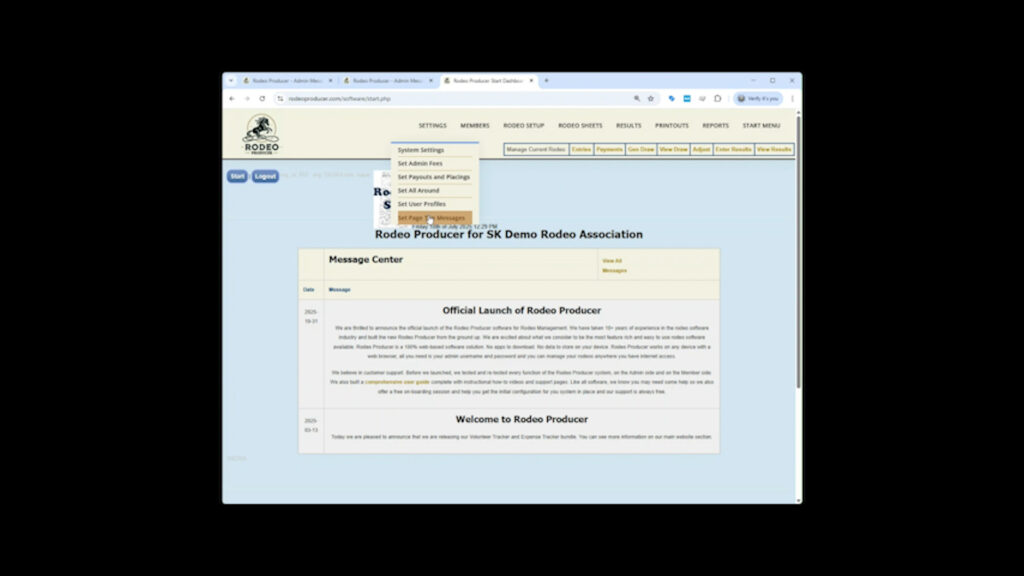
Use the form fields here to enter a message and the message will be placed at the top of the corresponding page for public viewing. This is useful for when you have had to deal with multiple support issues and you wish to remind your members how to properly use a feature, such as a reminder to add all their entry group members at the same time, or to pay their membership renewal fees before they try to enter their first rodeo of the season.
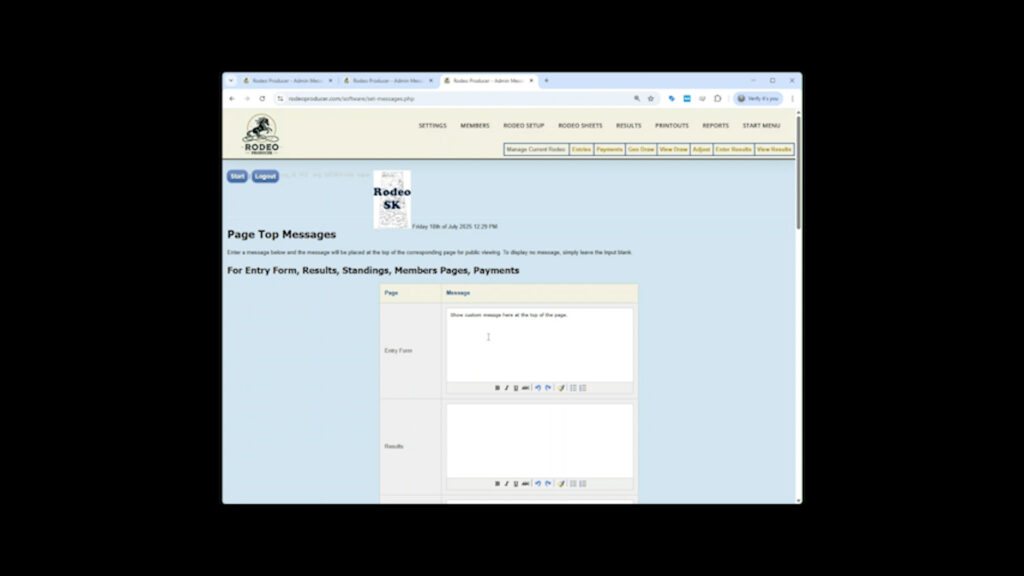
See below display of "Example of a page top message at the top of the members page".
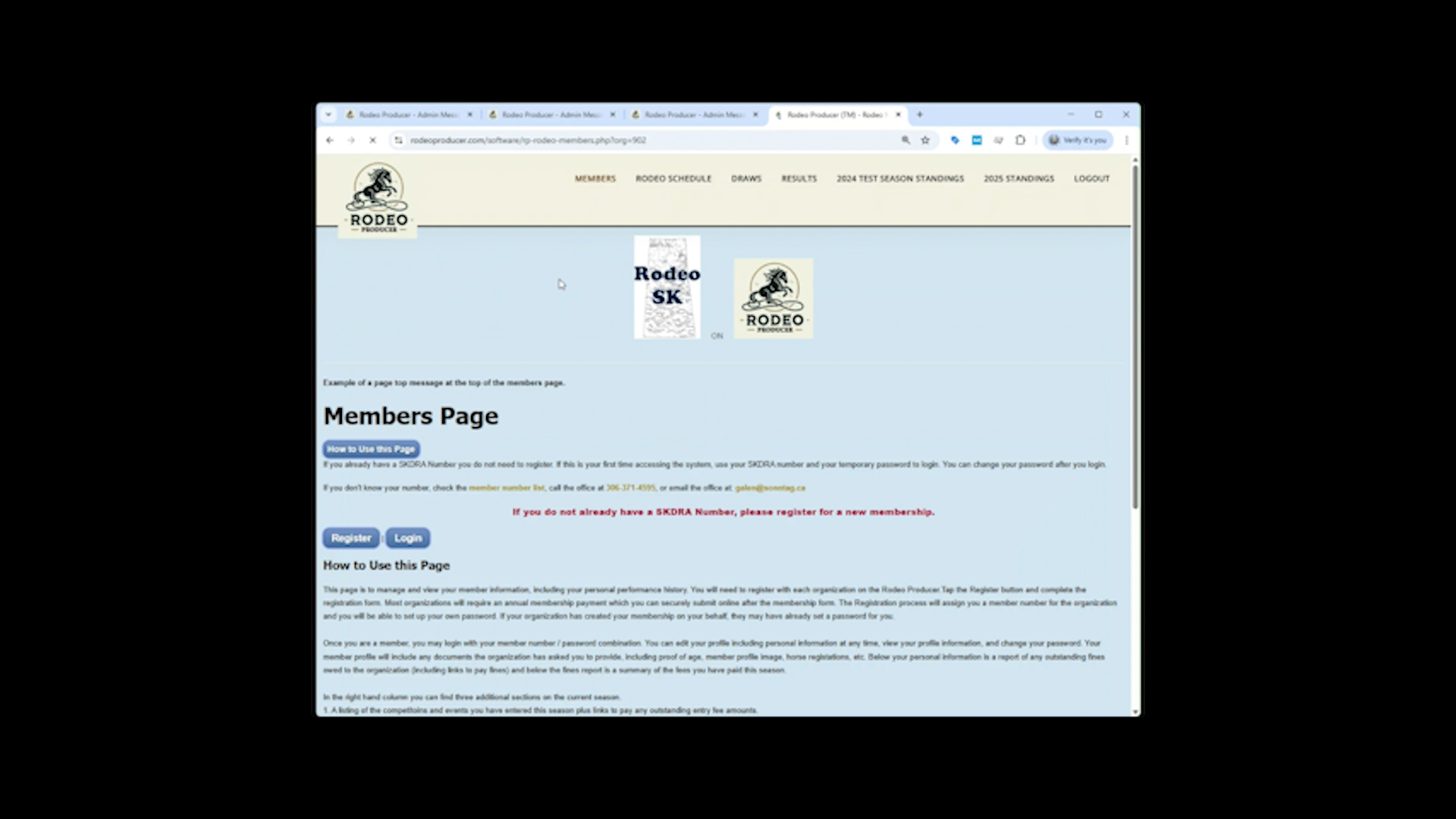
To display no message, simply leave the input field blank
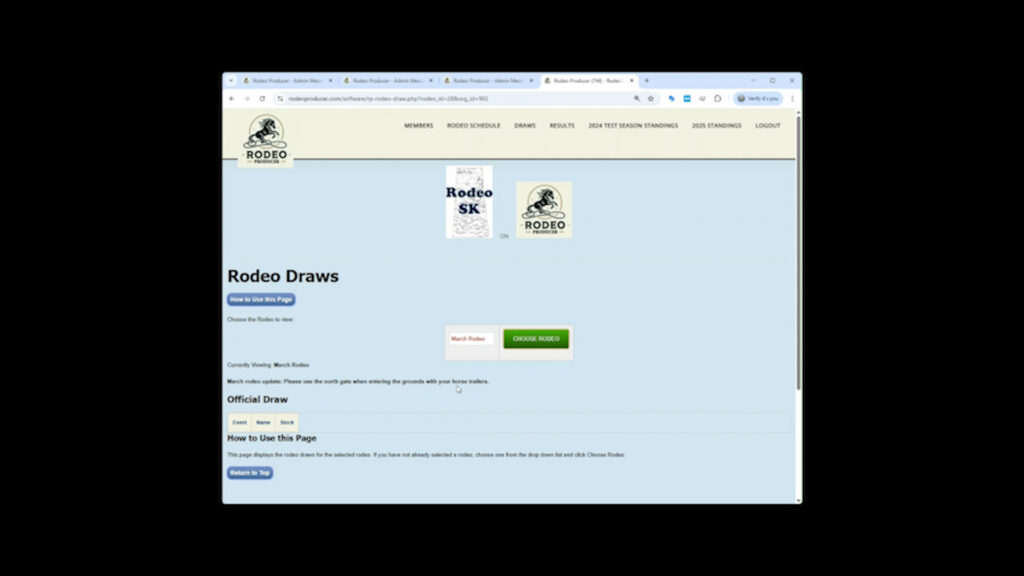
You may also have specific page top messages you want to display for specific rodeo draws. These can be entered in the section after the heading For Rodeo Draw Pages.
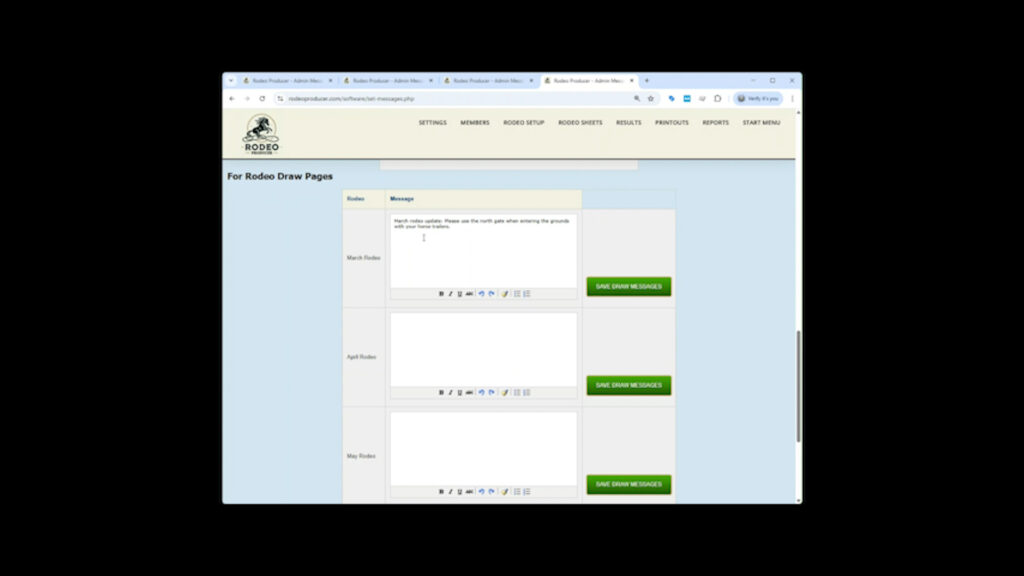
These will display at the top of the rodeo draw and may include messages such as “All rough stock events will be held in the small arena to the south of the main arena.”
Note that you can also display a message to your members in the rodeo schedule so that they will see the message prior to beginning their rodeo entry, appropriate instructions for at the time of rodeo entry. You can set this message in the Rodeo Setup > Rodeo, which will be covered in a later chapter.
Thanks for reading the Settings > Page Top Messages chapter for Rodeo Producer.
In addition to these support pages, we also have each Section and Chapter available as a video on our Rodeo Producer YouTube Channel.