In this chapter, we will be running through the procedures to submit bulk entries. Bulk Entries are possible for both Rodeo Events and for Barrel Racing Events, but work slightly differently for each.
Rodeo Event Bulk Entries
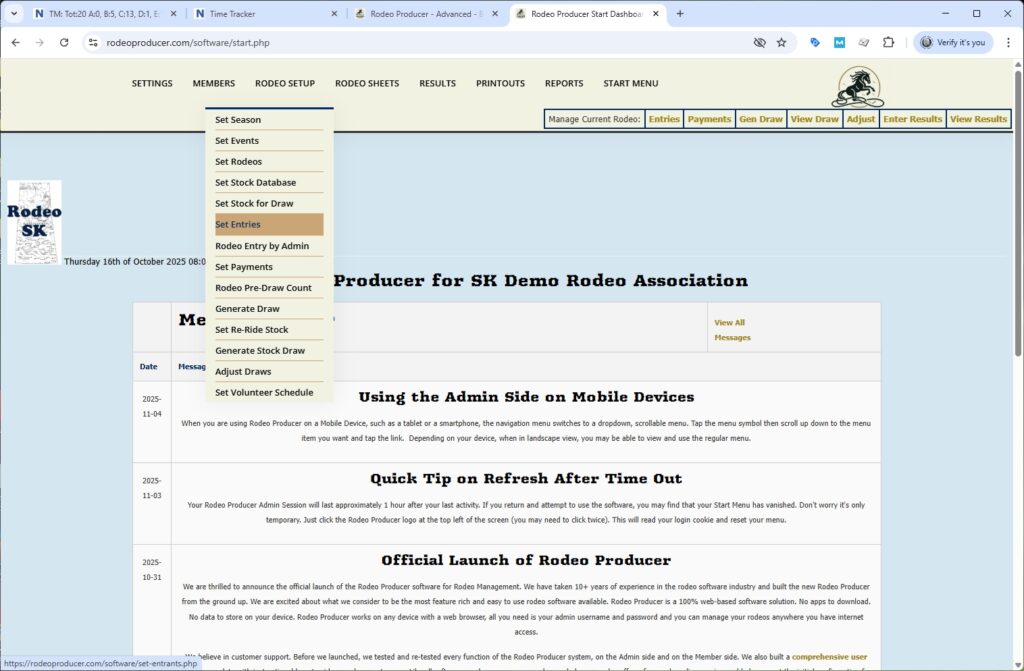
From time to time, you may have a need to add a number of entries. Perhaps it is rodeo day and you're adding entries at the gate or perhaps you accept entries by email from some members and you have a number of entries to add. There is a way to add them through a bulk process. There are some limitations of that and we will get into that in this chapter. To get started adding bulk entries, we will go to Set Rodeos > Set Entries.
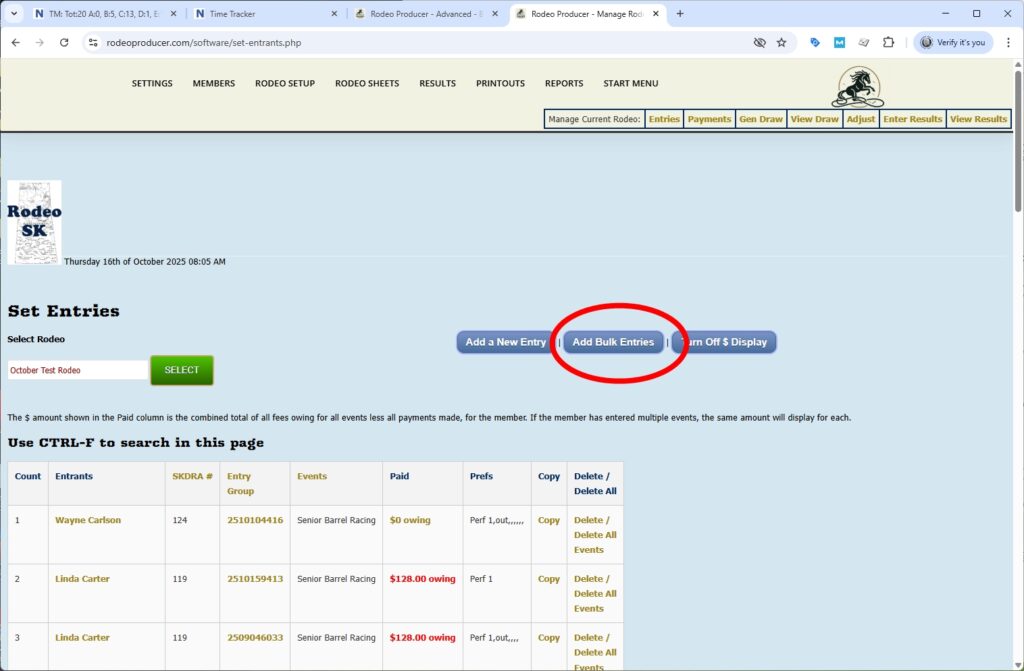
We will click on the add bulk entries.
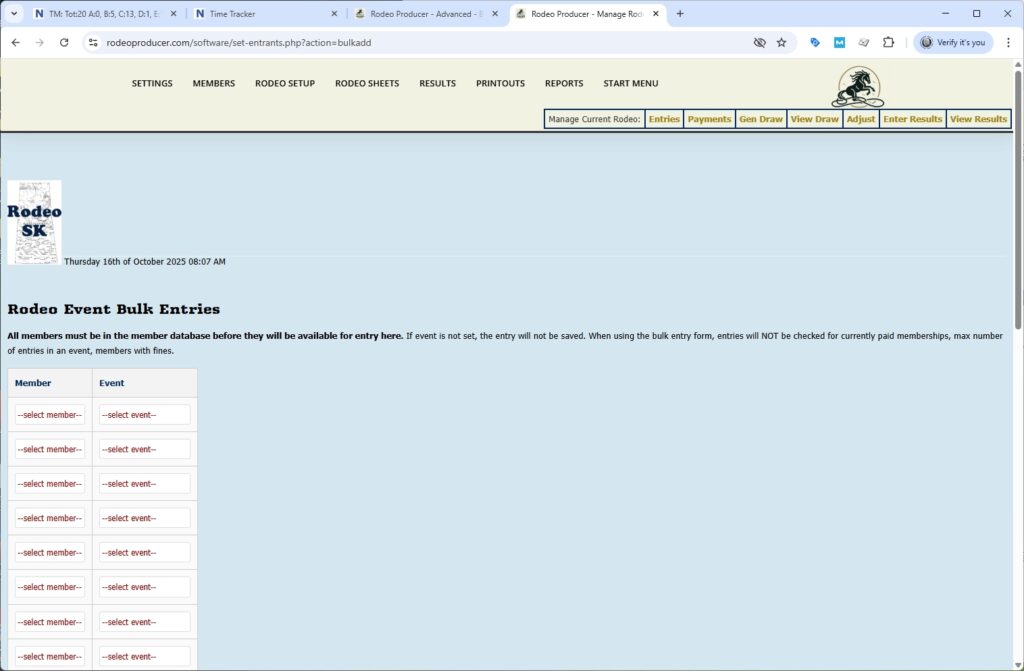
A couple of things to note before we get started. All members must be in the member database before they will be available for entry here. The select member dropdown is going to display all current members. If the event is not set, if you choose a member but do not select an event, then that entry will not be saved. As the admin, you have the ability to enter members into an event despite what your settings may restrict. So the entries submitted in the bulk entry will not be checked for currently paid memberships, maximum number of entries in an event, number of max entries by a member, etc. Whatever you set here is going to be entered.
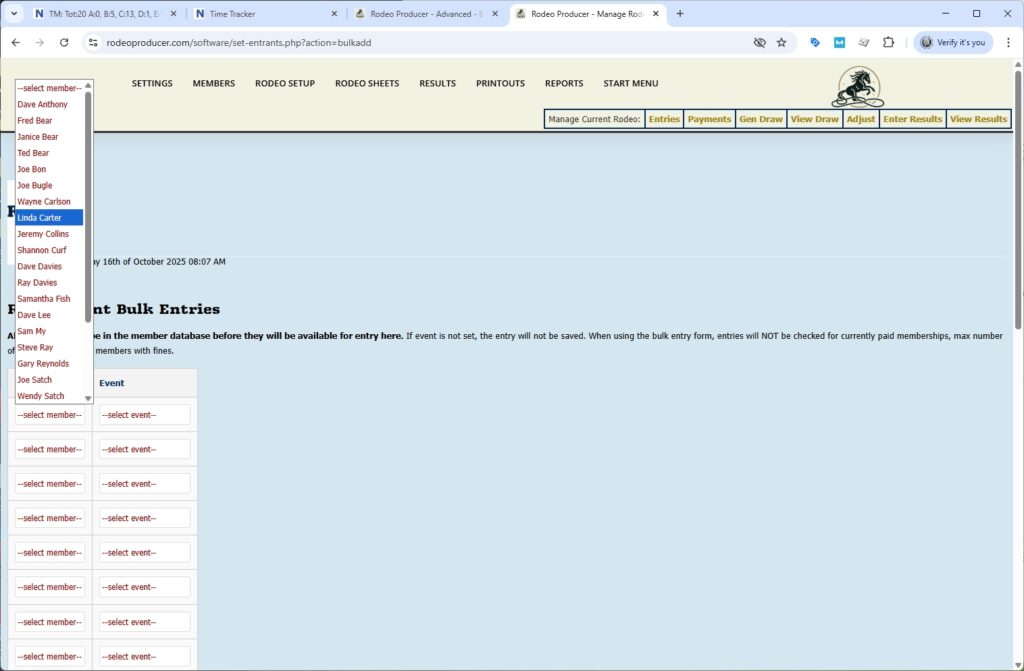
Keep in mind this is obviously specific to the rodeo. So if you have a rodeo set, it is only going to bring up the events within that rodeo and only going to bring up members within your member database. So we can put a few in. We will pick a member. We will pick an event. We can pick another member and pick an event and another member and an event. Keep in mind it is simply a member and individual event pairing that we are submitting here. There are no entry groups.
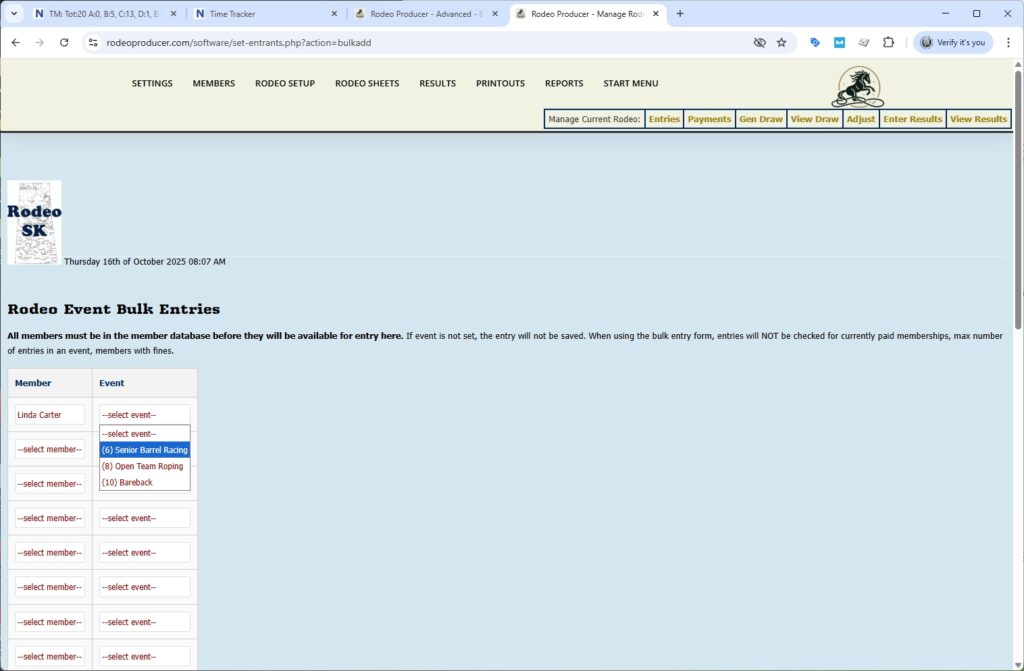
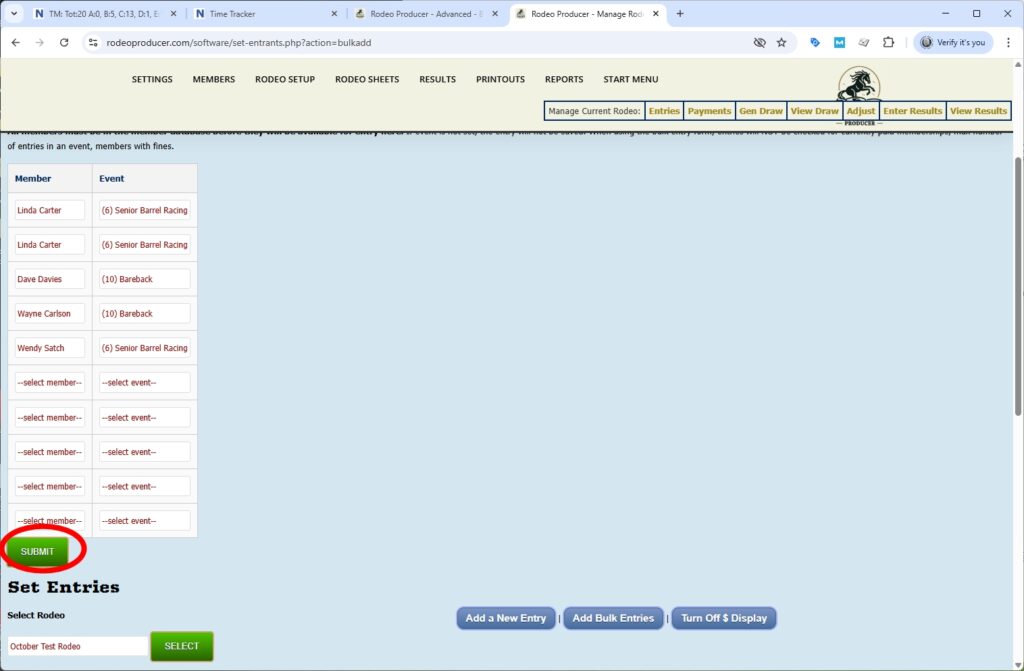
You can select the same member and put them into the same event and this will give them two entries in that event. Keep in mind that entries into team events don't work in this bulk entry form. So once you have made a number of bulk entries you would simply click the submit button. This form allows for 10 at a time. If you have more bulk entries to submit you would enter the first 10, hit submit and bring up the add bulk entries form again and submit some more. So once we have chosen what we want to submit, we click submit and we will now have those new entries entered into here.
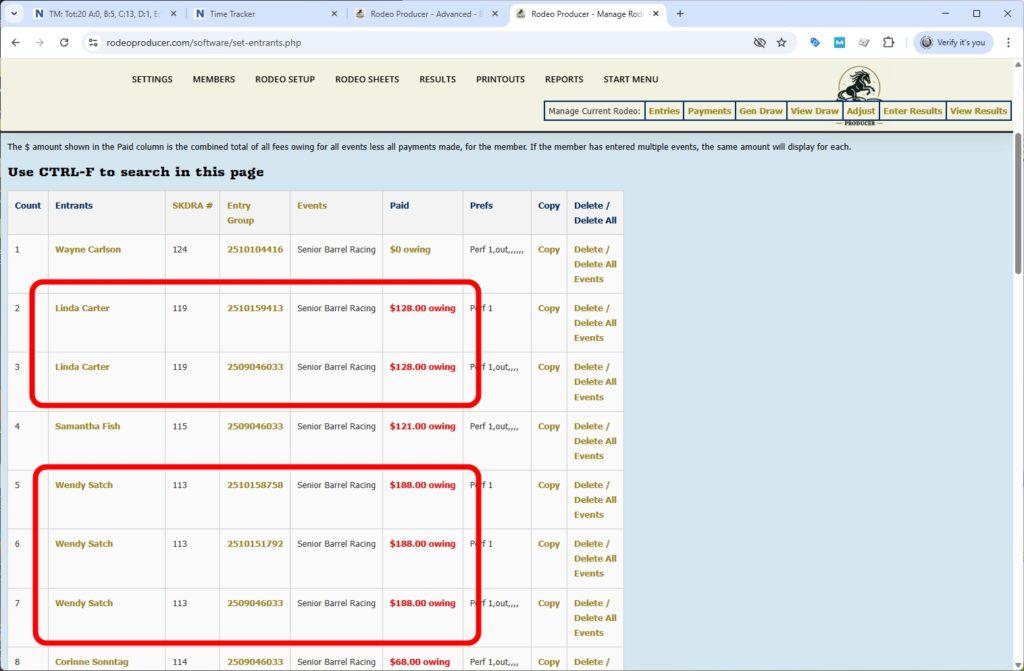
If any of our entries were already in some of these events then they'll be added again.
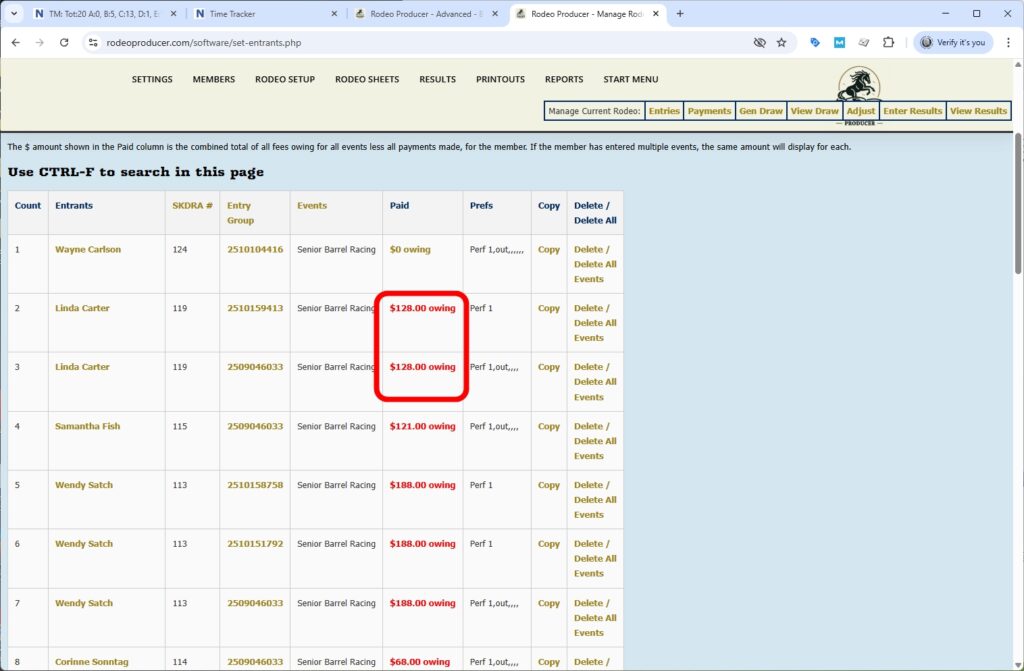
If you make a mistake uh you can delete individual entries.
Barrel Racing Event Bulk Entries
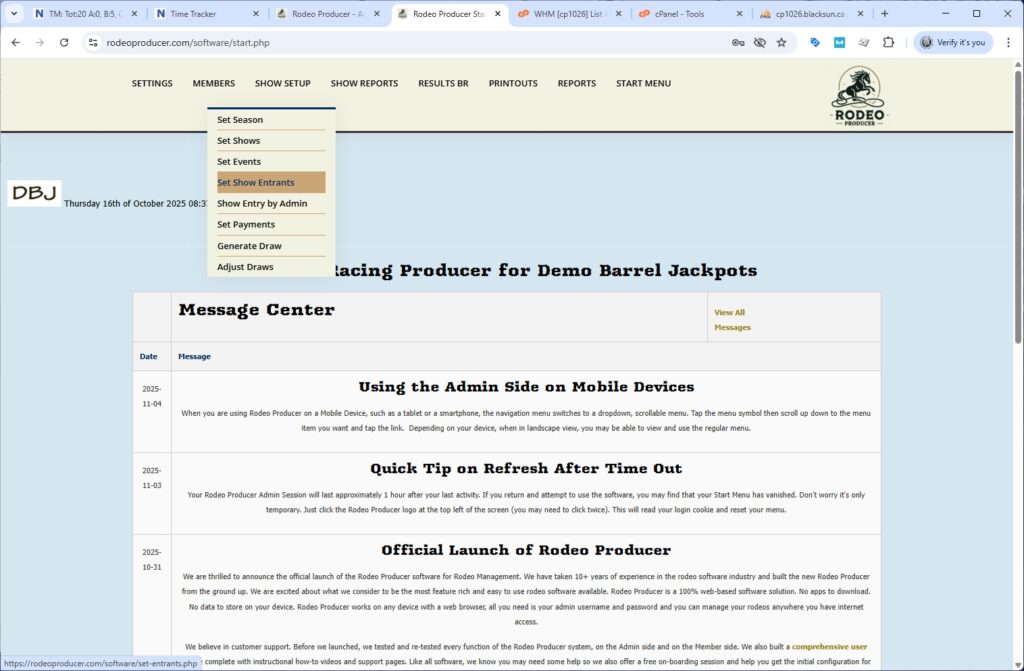
If you are a barrel racing organization then this process and the the bulk entry form will be slightly different than for a rodeo. We will now switch to a barrel racing demo organization and show you that. From our Demo Barrel Jackpots organization we will go to Set Show > Set Show Entrants
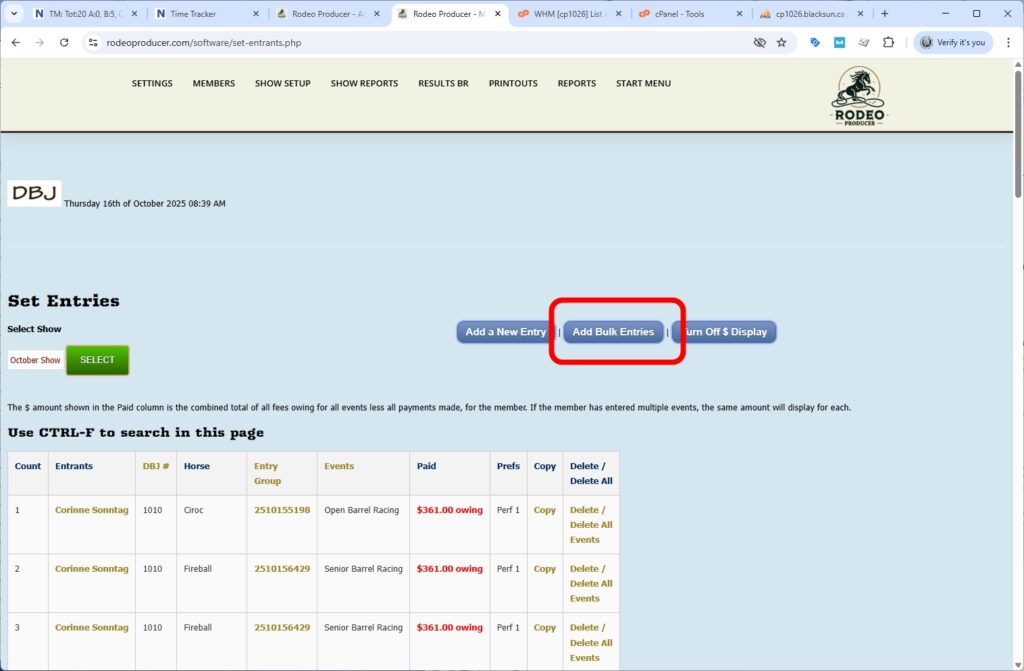
Click the bulk entries button.
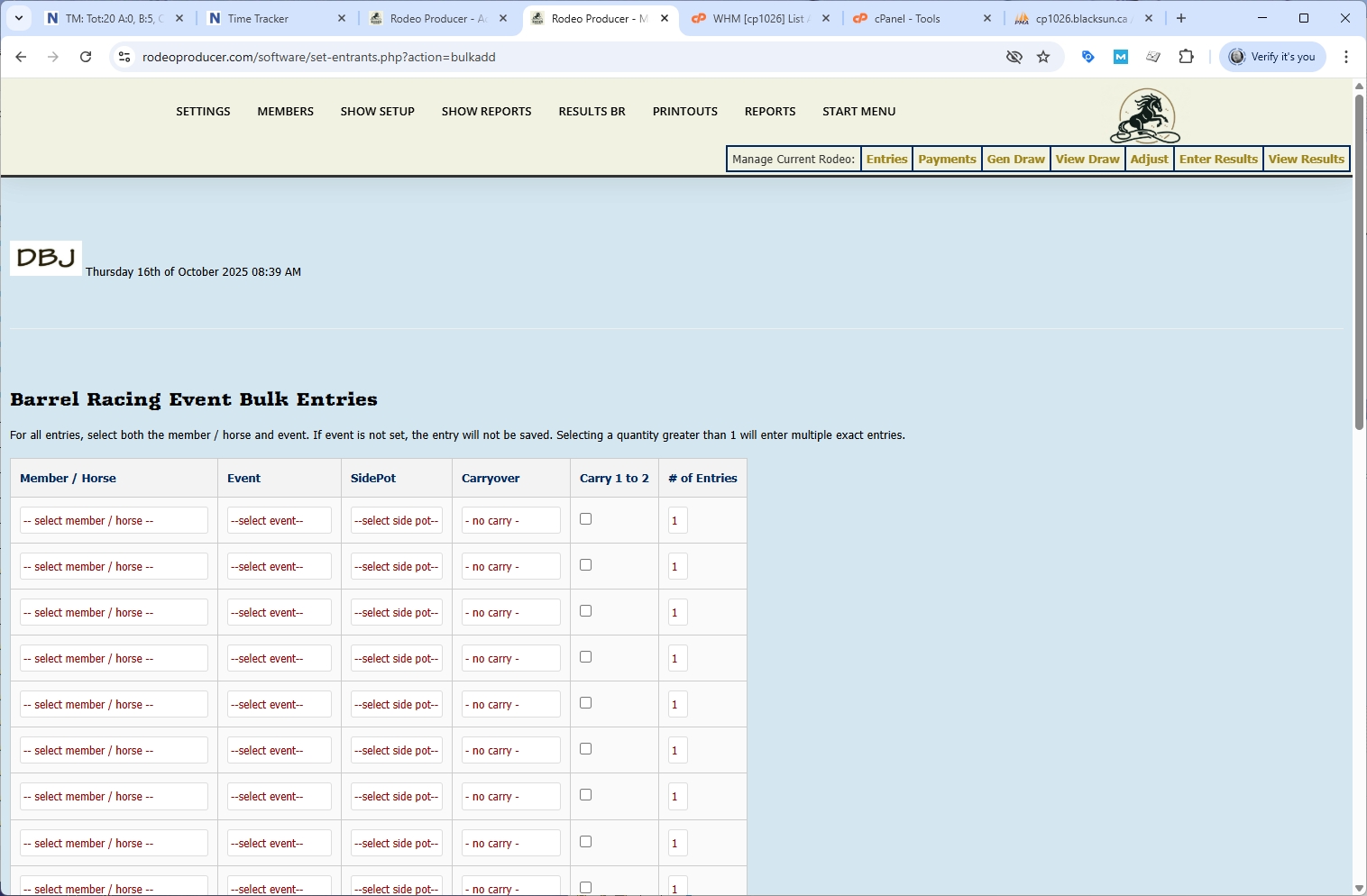
You'll see that compared to the Rodeo Bulk Entries, there's a few more options here and these options will depend on how you have set up this show. First of all, you'll be selecting the member and horse combination. We'll select one here.
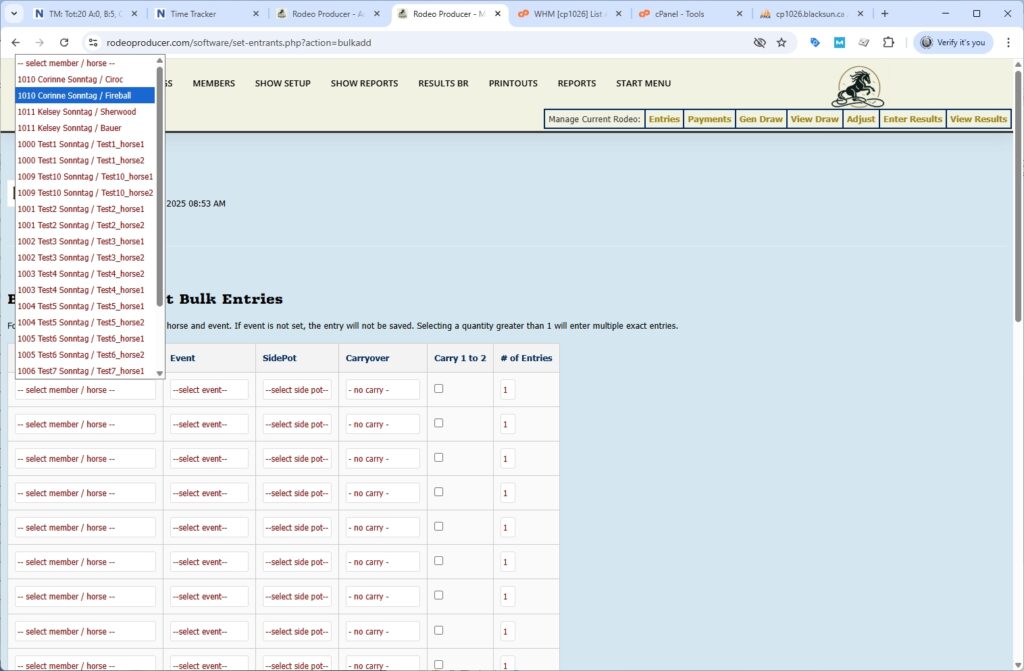
We can select an event.
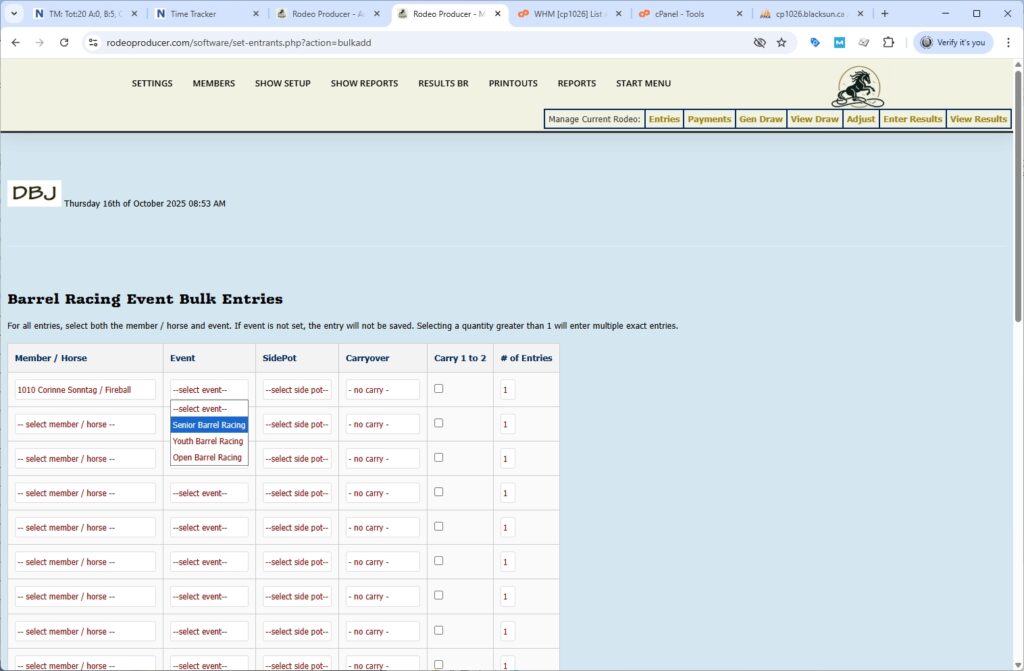
As the admin, you will need to be aware of your rules in terms of which events can have side pots added as well as whether there are carryovers to open events or carryovers from open events to other events so that you make the the correct selections here. The onus to follow the rules is on the Admin as all of those quality checks do not occur in the bulk entries here.
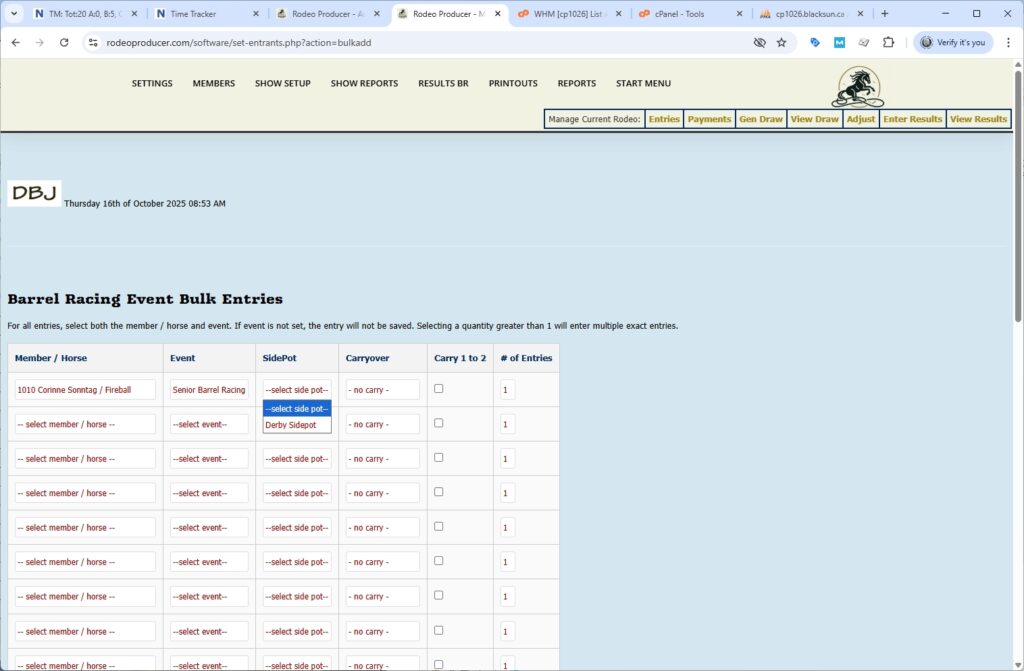
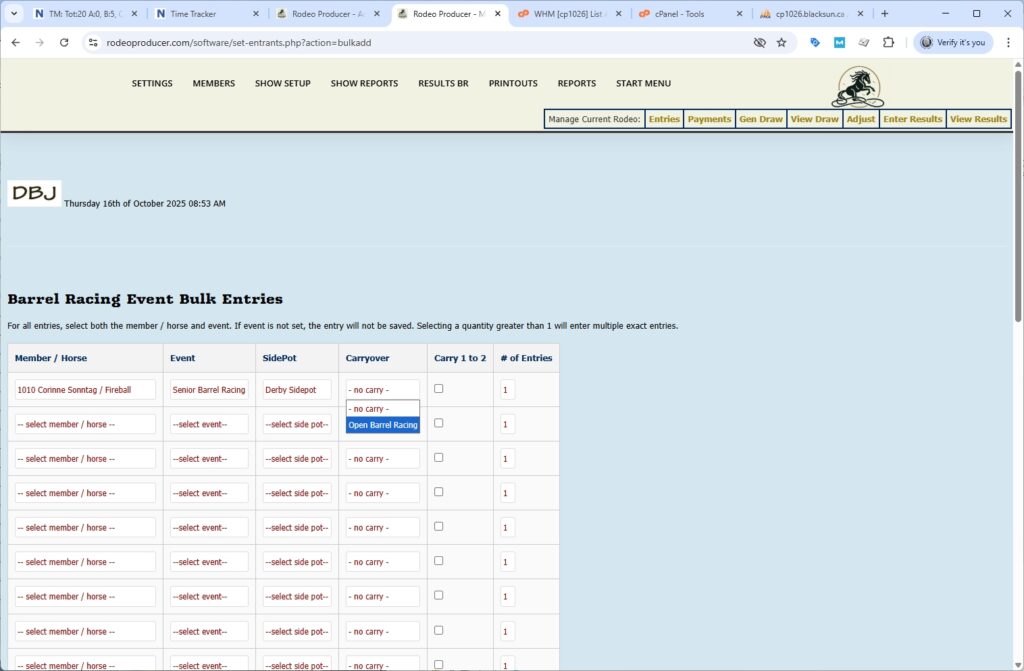
We can select the same member on another horse. We'll put them in the Open event and we can select the side pot. Only the Events available within this show are available here and only the Side Pots and the Carry-To options as set in the competition are available here. If you want to enter this member on this horse in this event, this exact same entry more than once, we can select 2 as the number of entries.
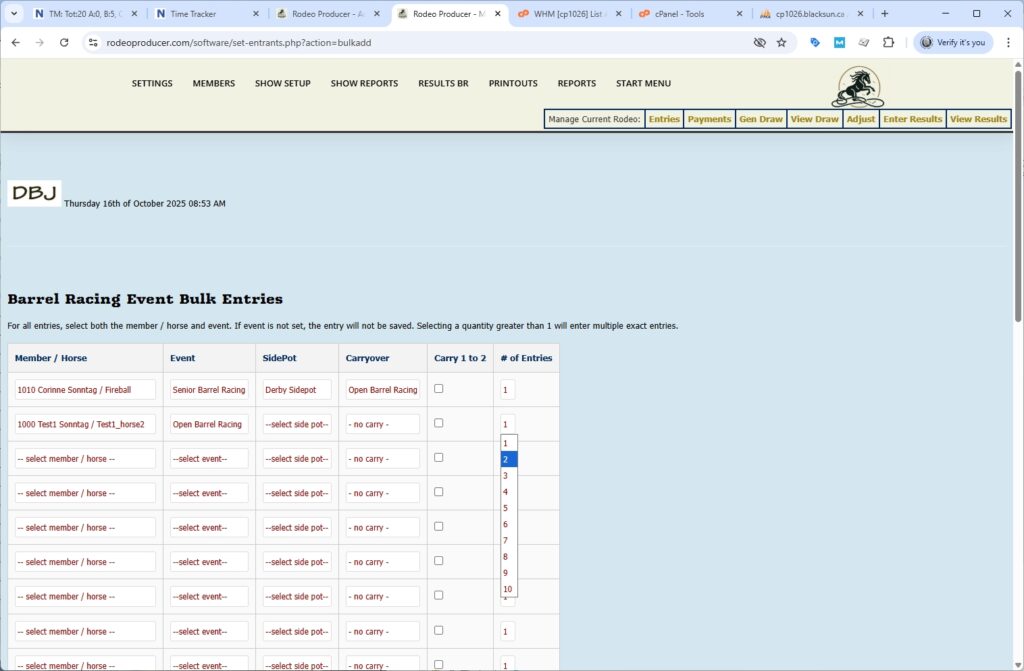
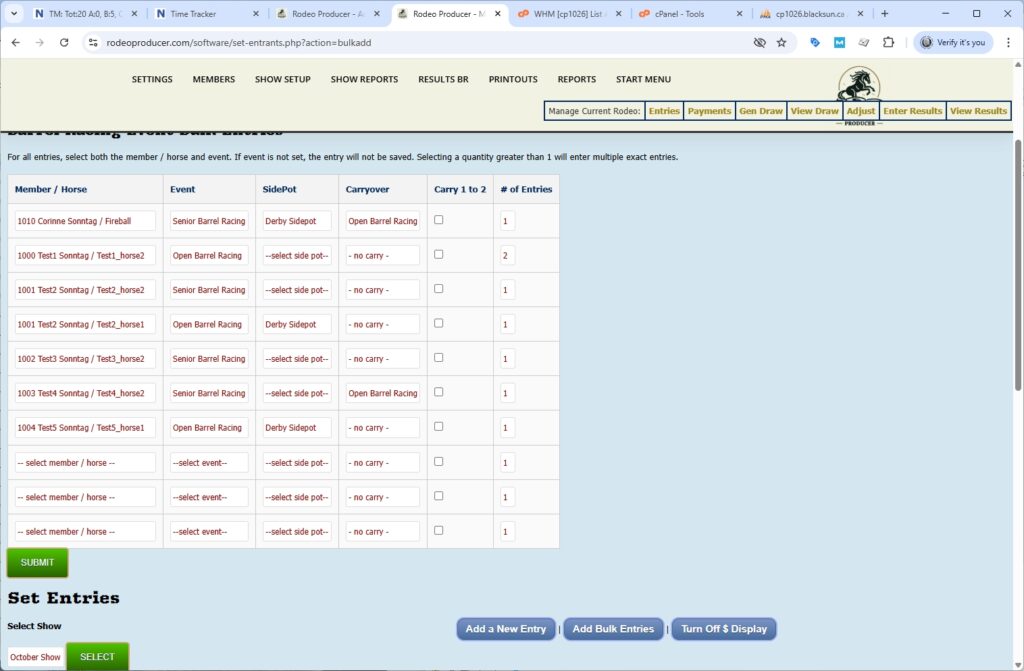
What that will do is it will record this entry two times. We'll put in a few more of our test members here. You should only make selections that match your rules, but you have the flexibility here to as you need.
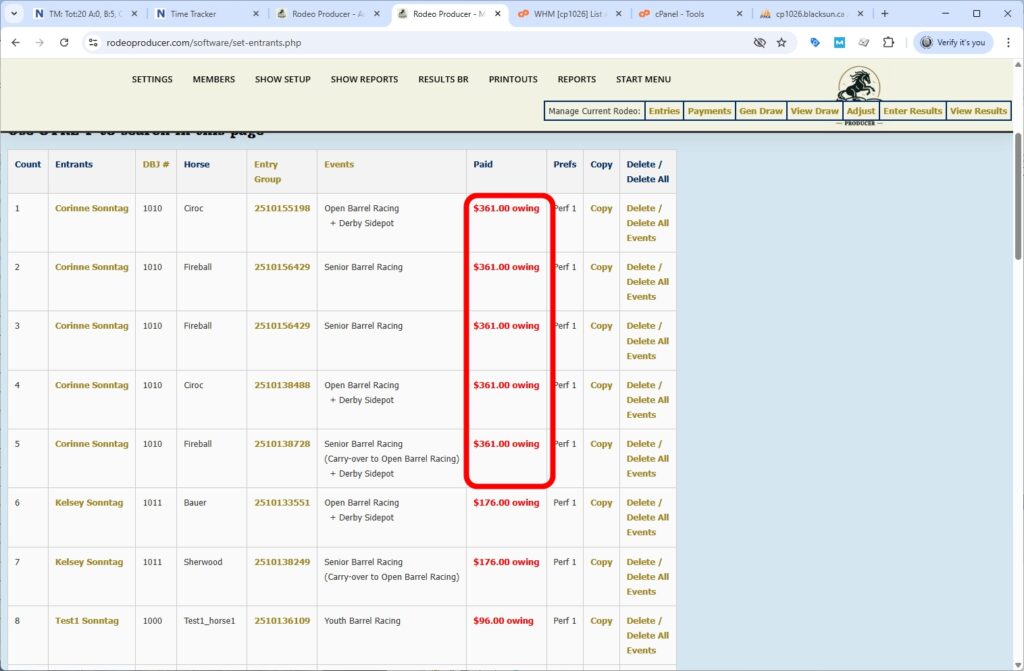
When you've selected everything you want here, click Submit. If you have more than the 10 entries that this form allows, you would enter in your first 10, click Submit, click Add Bulk Entries, and do this again. When we Submit, it is going to save these entries as we have put them here. Again, it is not going to do any of the rules testing. It is going to allow us to enter these just as we have them here.
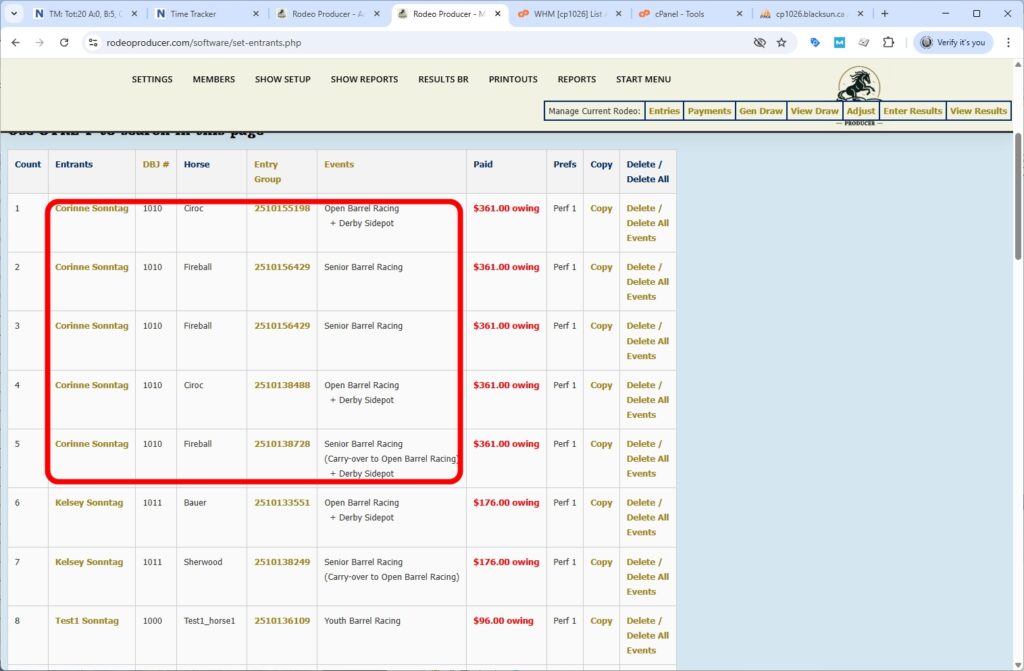
We can see a number of these entries that have gone in here, we can see these showing as bulk entries. These members here, some of these were entered by members. So we can see all of these bulk entries were added simply by filling out that one form. Just like any other entry, when they're added by the bulk entry form, the dollar amounts owing are all updated, which includes any carryovers, any side pots, all the entry fees, and any other associated fees. They go in as as a bulk entry, but they're treated just like any other entry.