
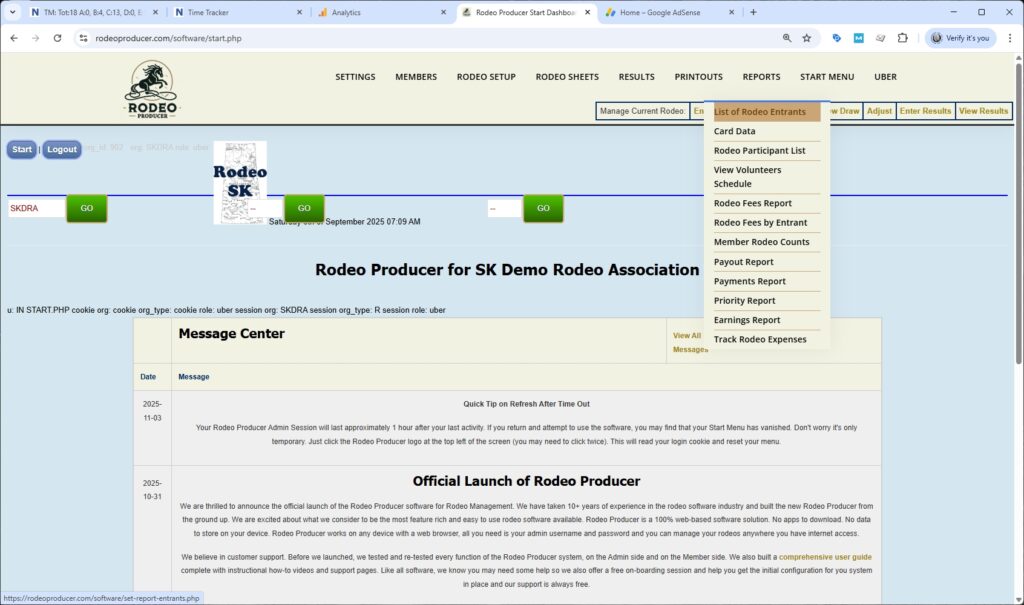
In this chapter, we'll be talking about the various reports that you can use to view various information available within the Rodeo Producer system. We will click on Start and we're already logged into our Rodeo Producer demo account. We will go to reports and we see that there are a number of reports available here.
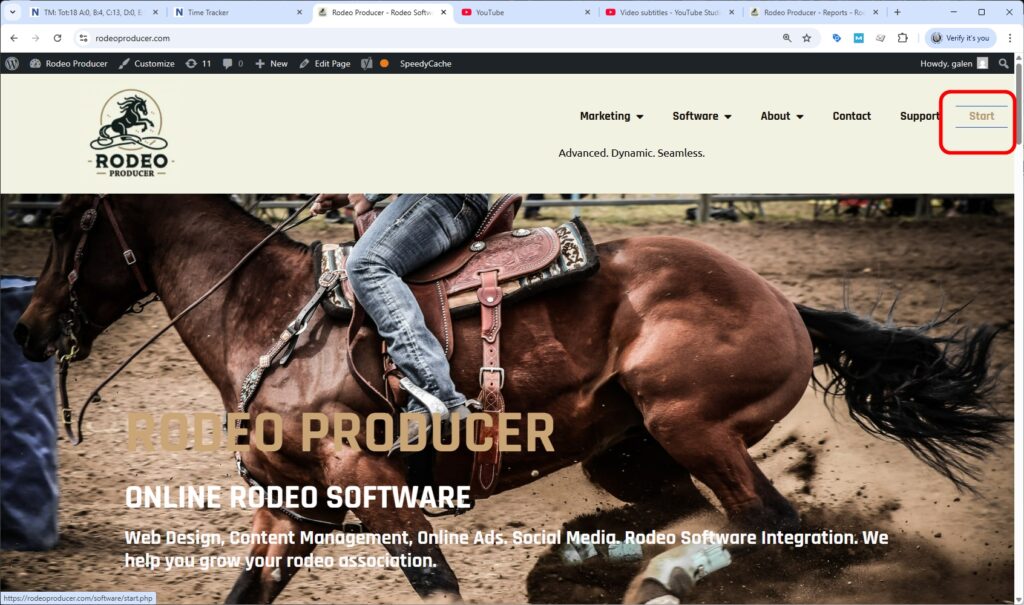
List of Rodeo Entrants.
They all have a different use. Some are similar but are arranged in different ways. We'll give you a quick overview of each of these. The first will be List of Rodeo Entrants.
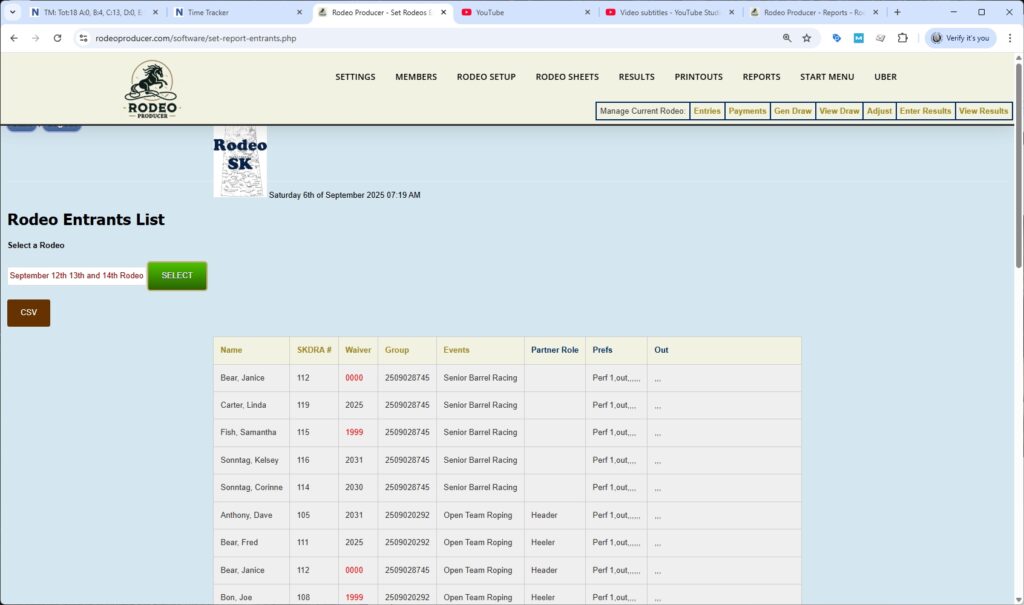


We will select our March rodeo. This is simply a list of members, member numbers waivers when their waiver expires (some of these don't have a waiver active yet), their entry group or buddy group, the event that they are entered in.
If they are entered in multiple events, they will show up in the list multiple times, such as this member also being found down here for another event.
If they are in a team event, it will show which role they are in, their performance preferences, and if they had any outs recorded in that rodeo when entering results. You can export this to a CSV file simply by hitting the button and it will export that and then you can use that as needed.
Card Data
Next on our list is the Card Data.
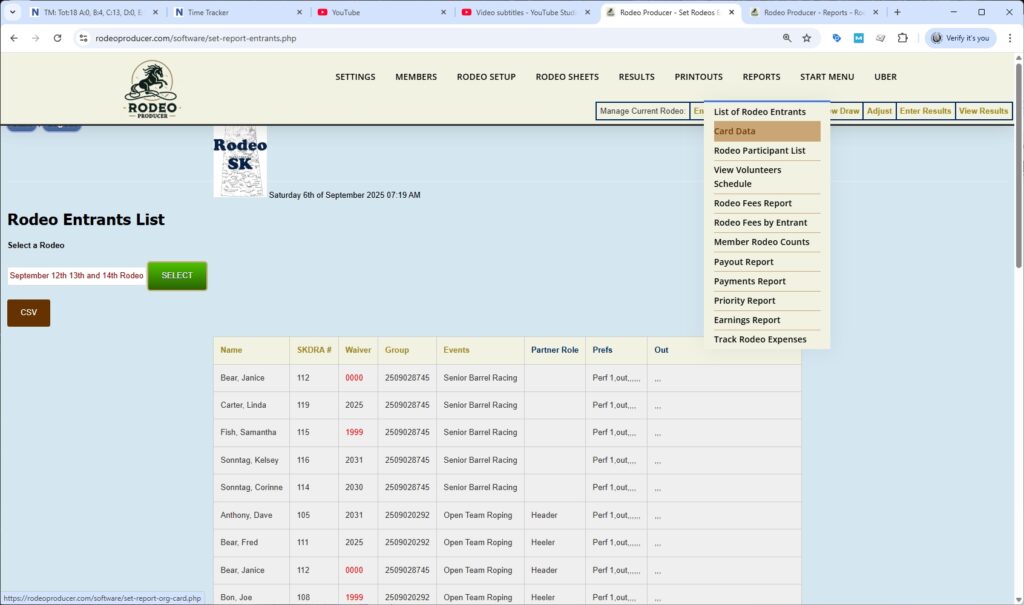
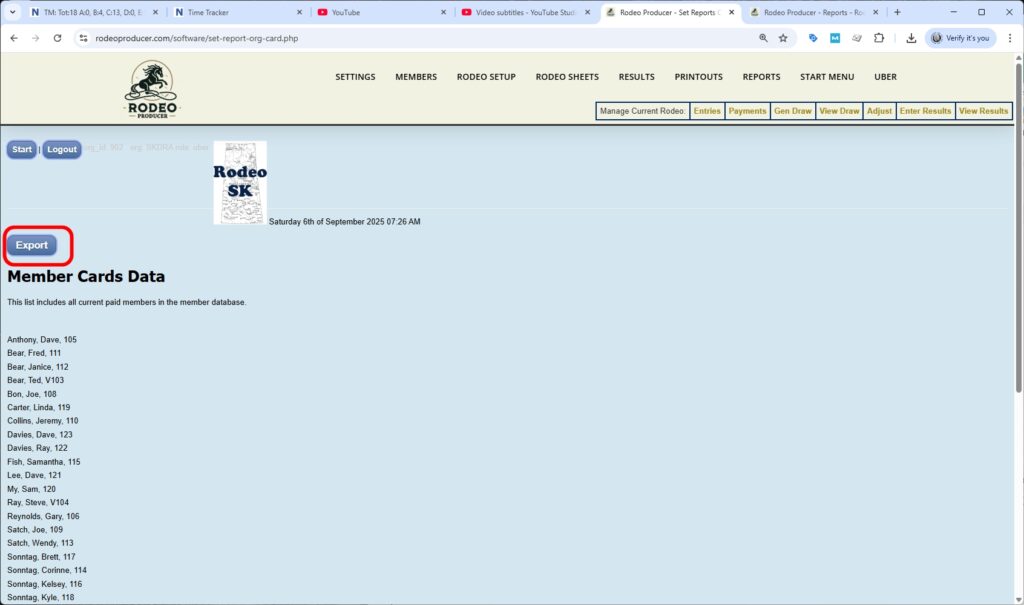
This is simply a list of members and member numbers. You can export this data. It is a good way to generate your member cards.

Rodeo Participant List
The Rodeo Participant List is a list with each with each entrant shown only once.

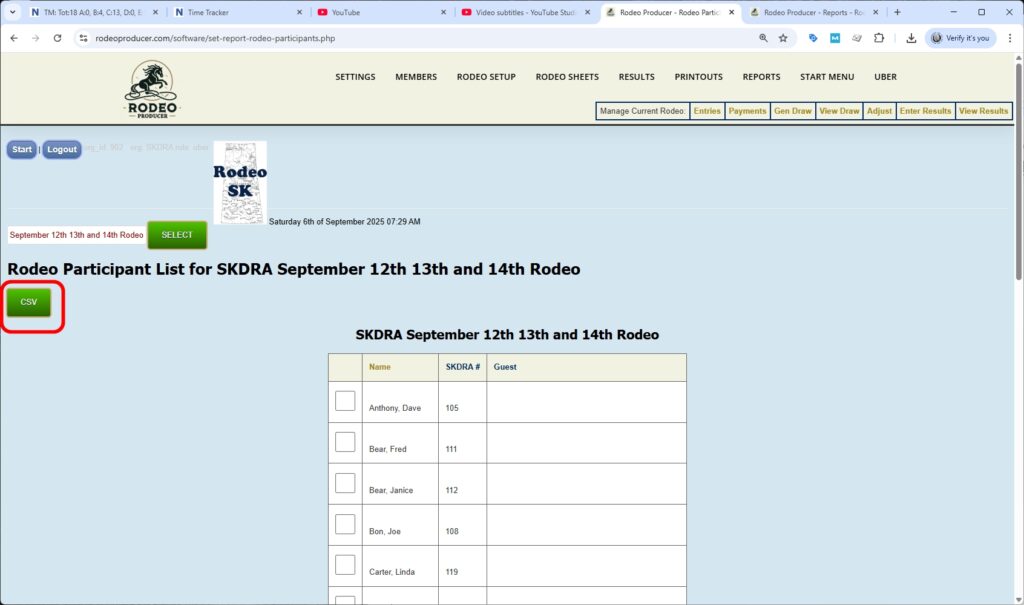
It will have their member number and and this can be used when checking in members at the gate. If they're allowed guests, you could hand write the guests in here. You could print this off. If you could export it to a CSV to to print it off and you can use this to indicate if they've checked in or if they've brought any guests with them.
Volunteer Schedule
The Volunteer Schedule is a quick view of who is currently set to volunteer for which events.
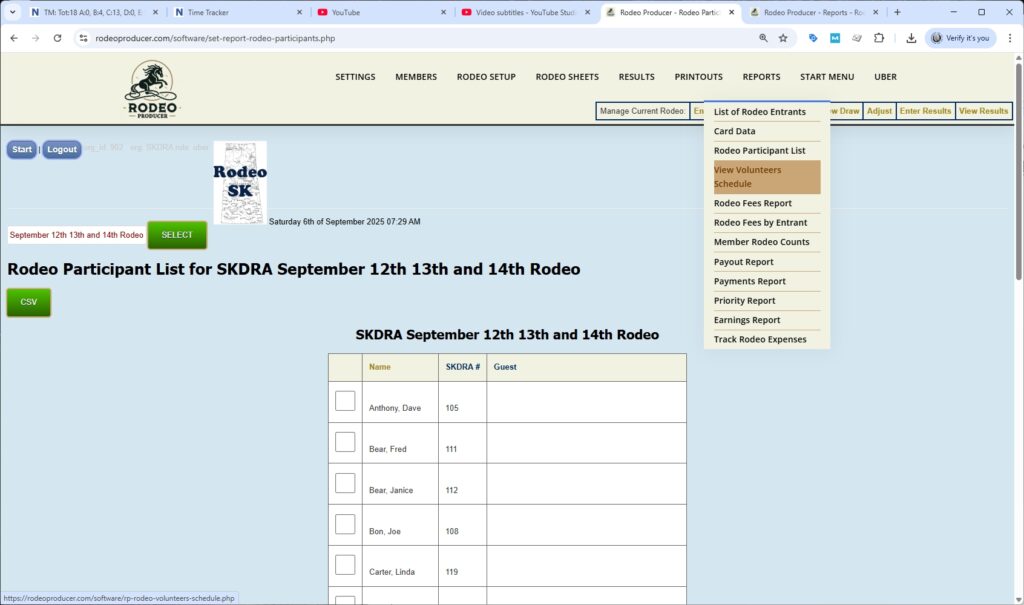

If your association assigns volunteers prior to the rodeo, this is also available on the public side so that anybody who has been assigned as a volunteer can see the schedule as well.
Rodeo Fees Report
The Rodeo Fees Report is next.


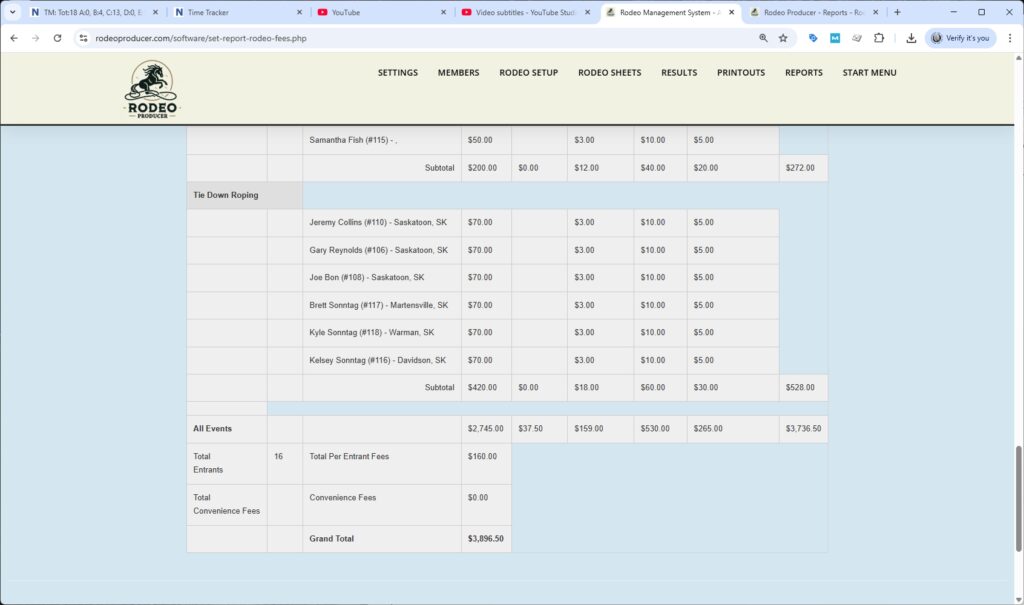
We've selected the March rodeo to bring up the data. This is going to show us, organized by event, and showing us the names of the entrants in these events, all the various fees categories that are being charged and a subtotal and a total for that event as well as for each event. This would be all the fees that members would be paying as they are entering the rodeo.
At the bottom of the report, once we scroll down we'll have a grand total of of all of these events.
Member Rodeo Counts.
Next we'll go to the Member Rodeo Counts.
This report can be used in a few different ways. The default is to show this by rodeos only. This is going to count the number of times that these members have been entered into and competed in a rodeo that they've officially competed in it. So this means that the rodeo itself has been marked official.
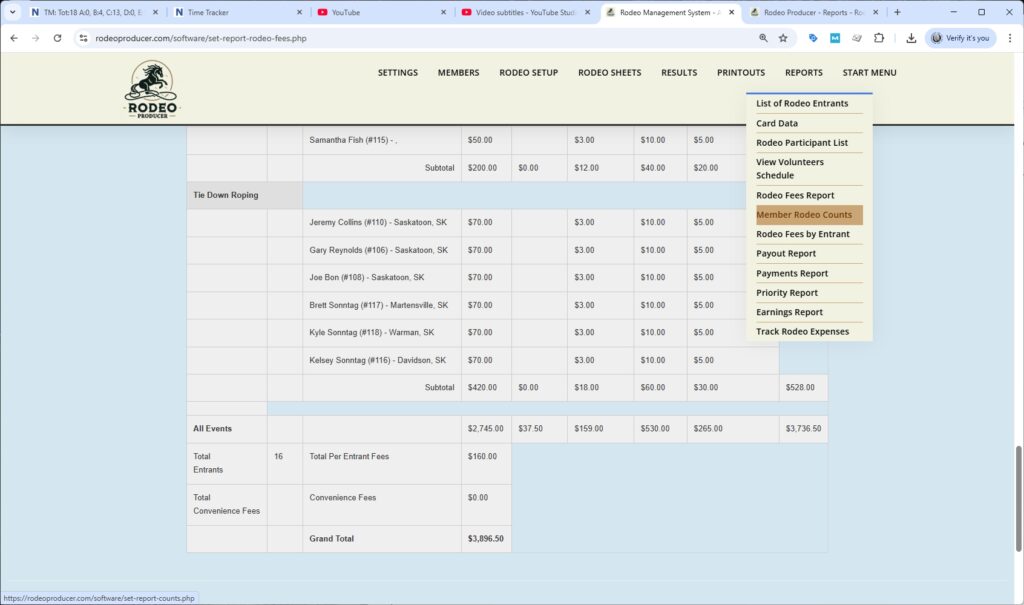

By Rodeo Exclude is going to leave out anybody who is excluded from standings. So these would be people like the volunteers. That member type is excluded from standings. We rerun the list and now we have those volunteers that are not on the list.

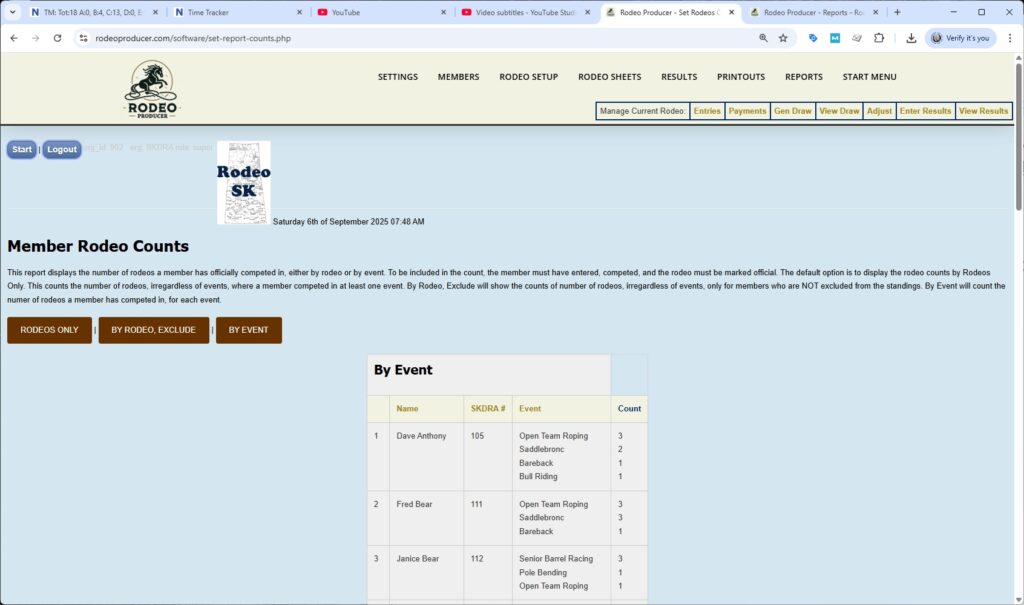
We can al also run this list by event. Here we see that we have the count of each event that each member has participated in, that they've entered and competed in. Which report is right for you depends on how your organization keeps track of these things.
Rodeo Fees by Entrant Report.
We'll now go to the Rodeo Fees by Entrant Report.
This is a fairly extensive report, actually 3 reports. It's it's going to show the name of the member, the events that they've been entered into and the rodeo fees they have incurred. It's per rodeo.

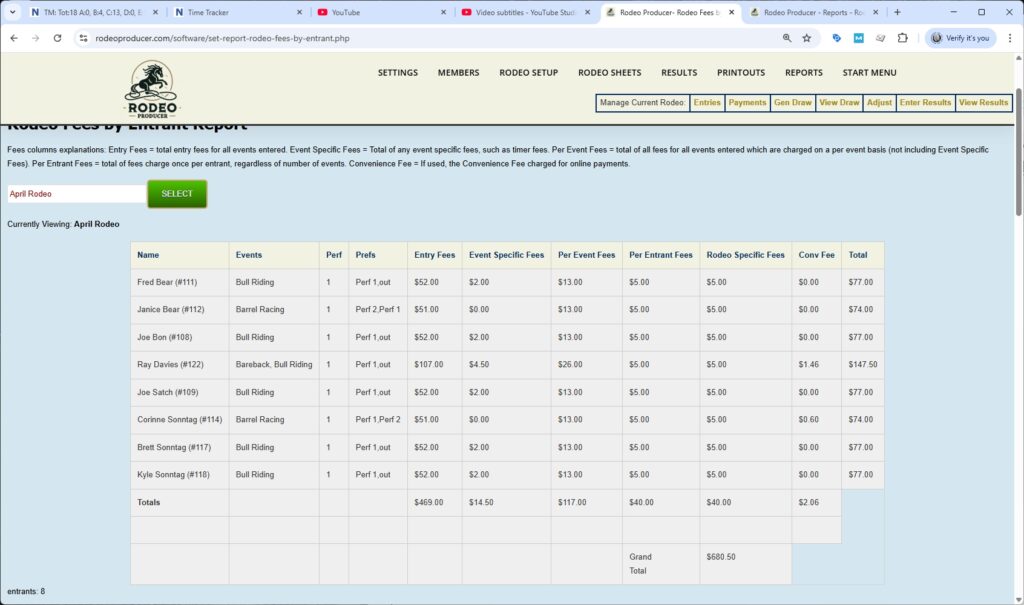
RP is showing us the fees that they've paid or that they've been charged for this rodeo. It will be specific for each member. At the bottom we see the grand total fees.
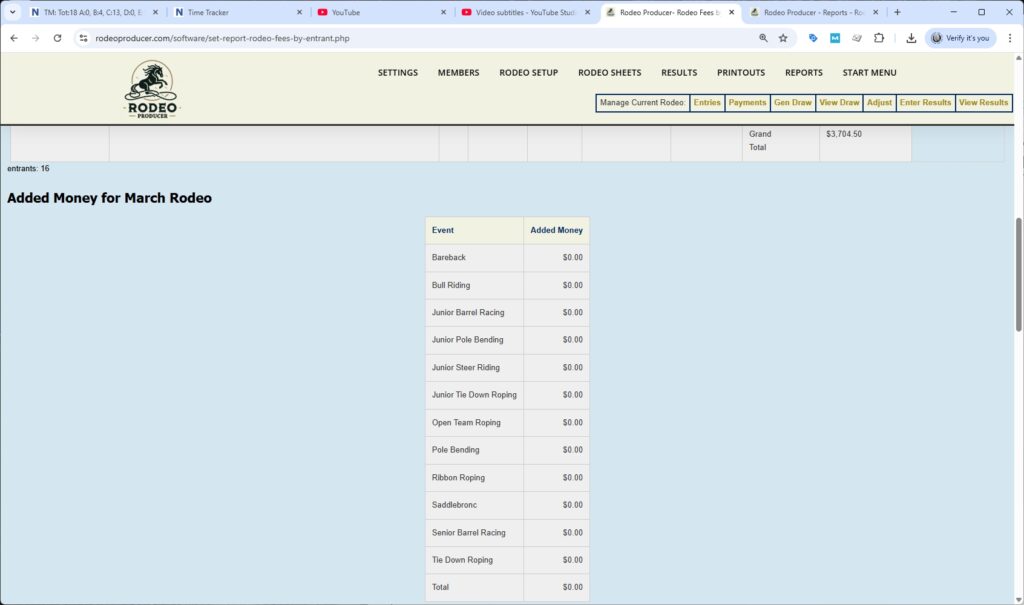
As we scroll down, we have some additional, bonus reports. We have the added money for the March rodeo. If your organization has sponsors or if your organization adds money to the purse, this report here would show what money has been added to each event.

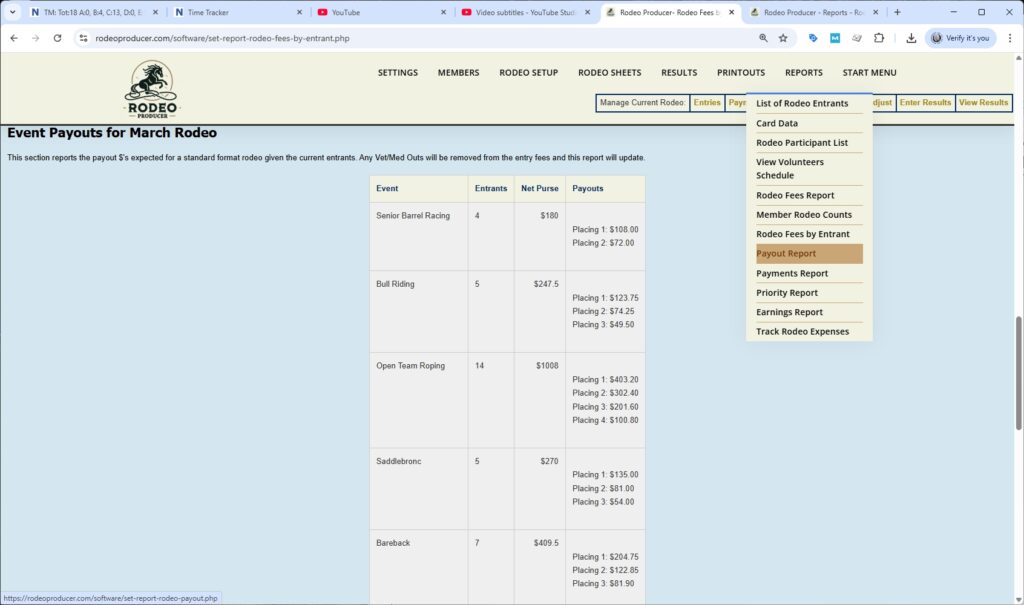
Even one more bonus here, we have event payouts for the March rodeo. This is a report for each event showing the number of entrants, showing the net purse and the expected payouts that will happen. This will use your payout formulas and it will be based on the net purse or based on the number of entrants. This is going to show the expected payout for these events.
If we scroll to the bottom, we see the total net purse value for the rodeo.
Payout Report
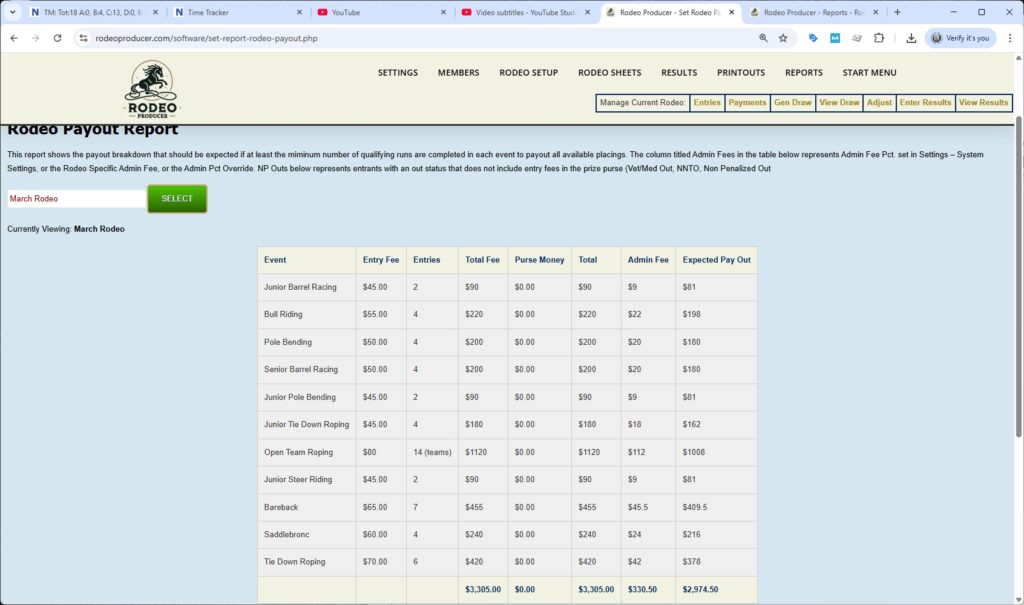
Next on the report list is the Payout Report. Now, this has some similar information. It is going to show us the events, all of the fees that were collected, as well as showing us the expected payout for these events. It uses those same formulas. It's going to calculate what is expected for the payout value if the maximum number of qualifying rides/runs are completed.
Payments Report
Next on the list, the Payments Report. This is money coming in. This is showing of all the members here, anybody who has paid and how they have paid. It is going to show us the amount that they've paid and the payment date. If someone has made multiple payments we can see both of those payments here. This is everybody within the rodeo that has made some payment to the organization that's been recorded in the system.


Priority Report
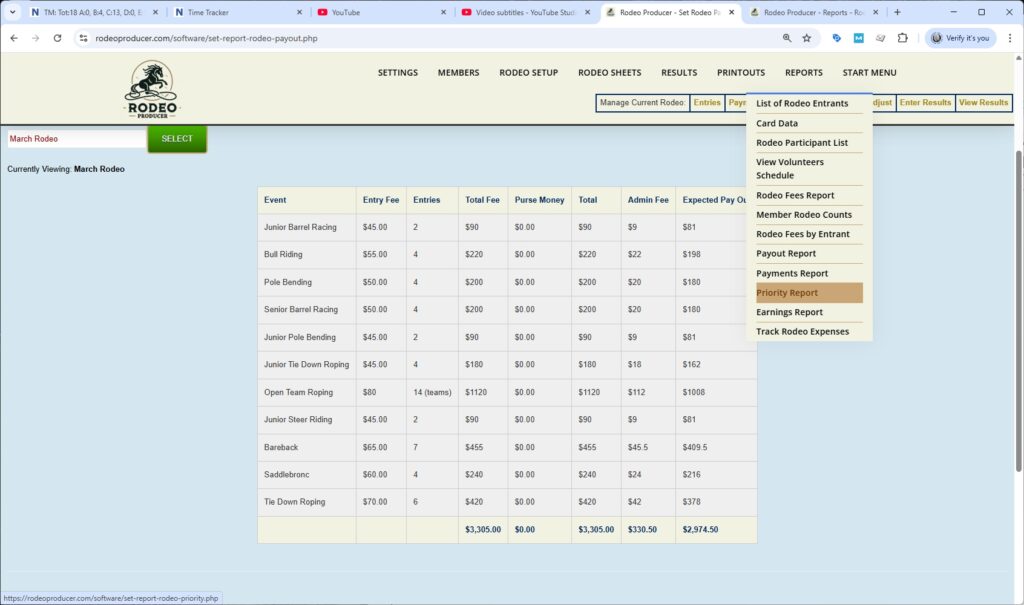
Next we have the Priority Report. After you have ran a draw you can have a look and this is going to be organized by group by the entry group or the buddy group. It's going to show the group ID number, all of the events that were entered and by who, their member number, the performance preferences, and then which performance they were assigned to, and the priority of that entry group.
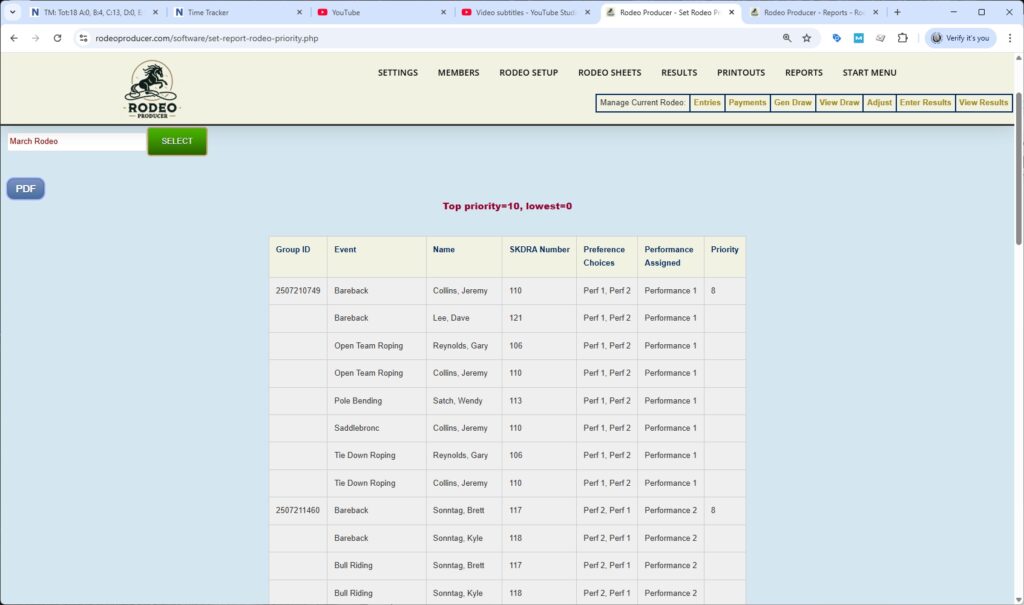
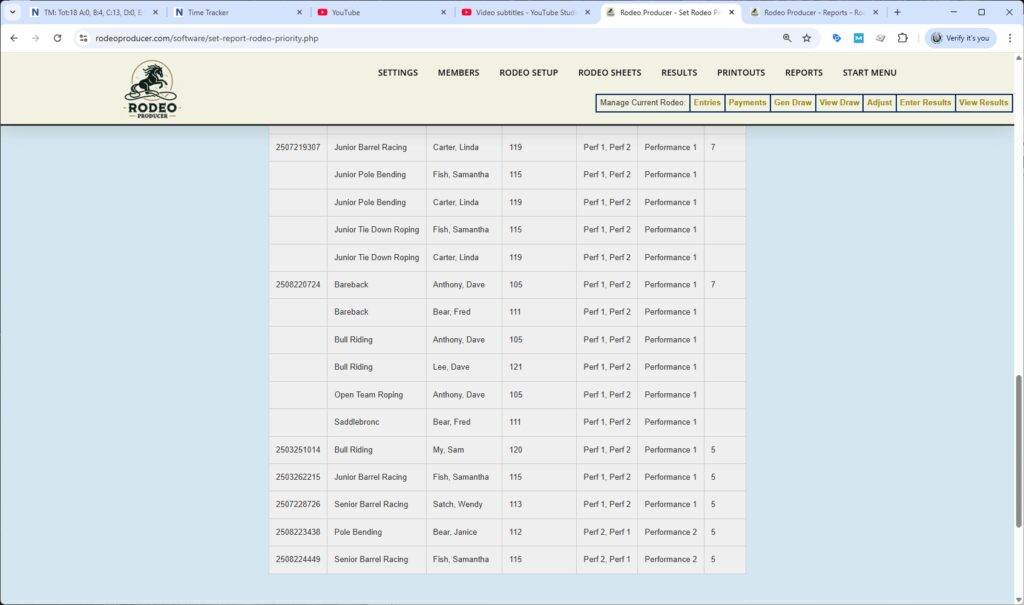
As we scroll down, we'll go from the highest priority down to the lowest priority. We'll see that there are a number of individual entrants here that have the lowest priority.
Member Earnings Report
And last on our list of reports we're going to cover here is the Member Earnings Report.
This is a report that provides information on each member that has been paid some winnings and it will be all members that have a paid membership that have won money in the current season. This is money that has been won at the organization's rodeos. Money won at co-sanction rodeos, those that are led by other associations, it's not included in here. Some organizations require this for reporting purposes. If the member has provided their social security number or in Canada, social insurance number, then it will appear here.


As we scroll down, we see it's organized by each member and then winnings. If they won in multiple events, it will show that as well as totals.

That's the list of reports available here. We do want to point out that the volunteers schedule, the view of the schedule is available here. You can manage your volunteer schedule under Rodeo Setup > Set Volunteer Schedule. There was one other item on the list here and that is Track Rodeo Expenses. That is a larger item and there is a video and chapter within the admin user guide specifically on Track Rodeo Expenses. These are the reports that we have available. We do from time to time get requests for new reports. Some of these reports are from those requests. We turn them into standard reports. If there is something you need specifically then contact the good folks at Rodeo Producer and we'll see what we can do.