
Integrated Event Types in Rodeo Producer
Rodeo Producers offers the ability to manage three competition types: Rodeo competitions, Barrel Racing Competitions, and Team Roping Competition. In addition, all these competition types, or event types, can be managed within one integrated competition. Your account, when created will have been set to a primary competition/event type, either Rodeo, Barrels. or Team Roping. You can change your primary event type in Settings > Account.
Having a primary event type only means that is the default for your account. You can manage all event types with a simple click of a button to switch the event type you are managing.

For more information, please see Integrated Accounts.
In this chapter, we will describe how to work with rodeo entries, how to add entries and how to make adjustments. We'll go to Rodeo Setup > Set Entries.
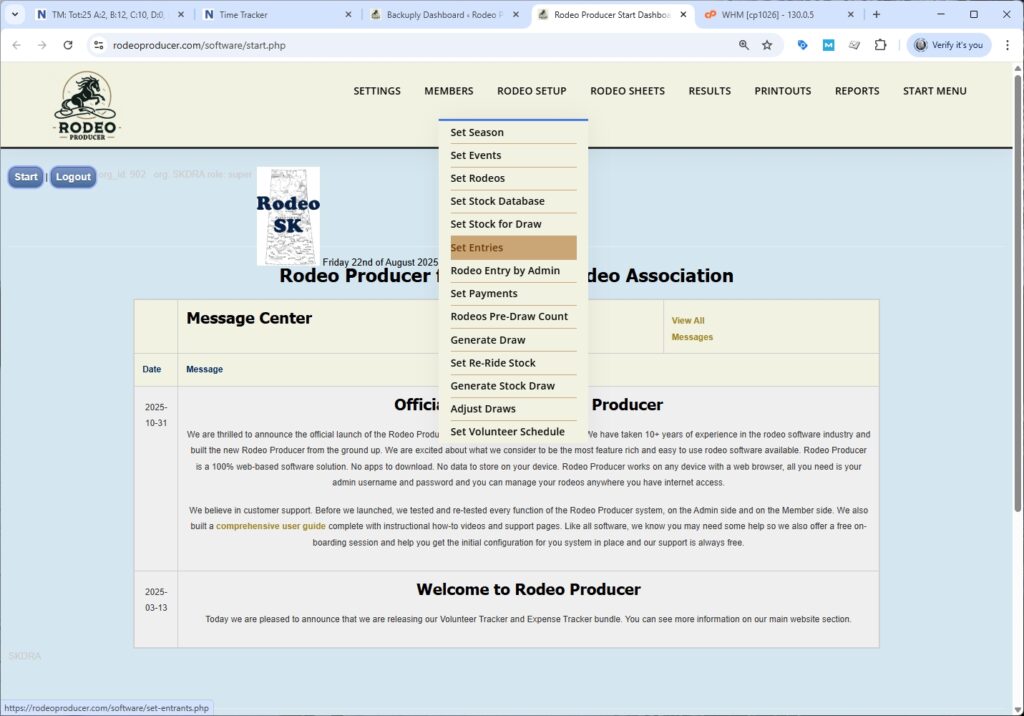
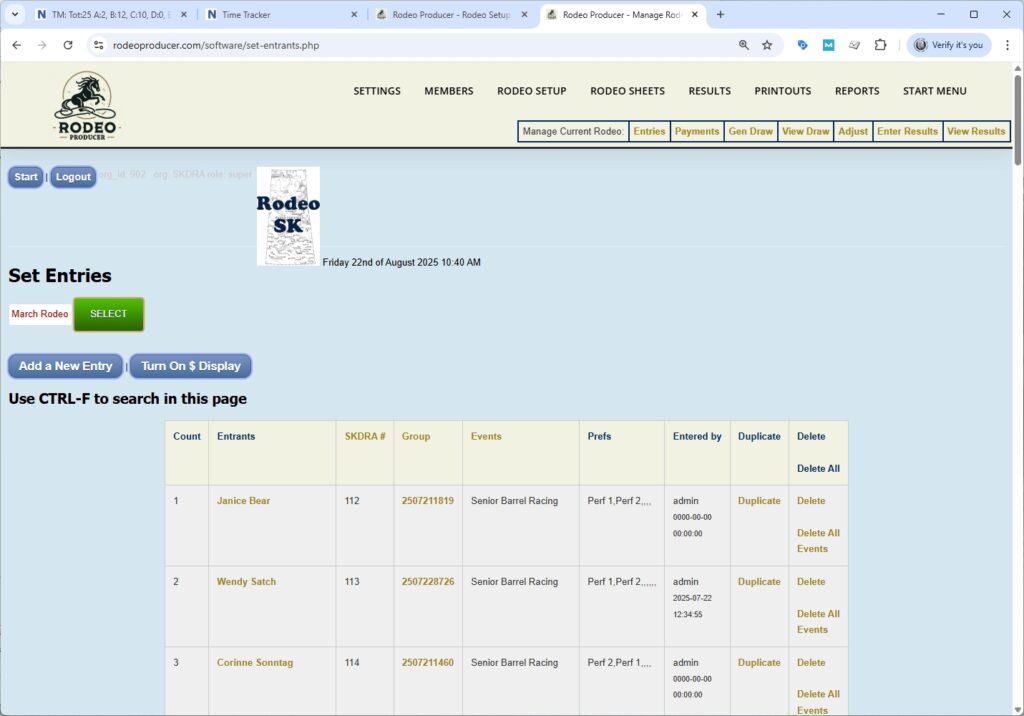
To select a rodeo, we would just select from the list and push the Select button. We'll work with the March rodeo. Here we have a table, a list of all of the entries that are currently in this rodeo. This will bring up a table for the active rodeo.
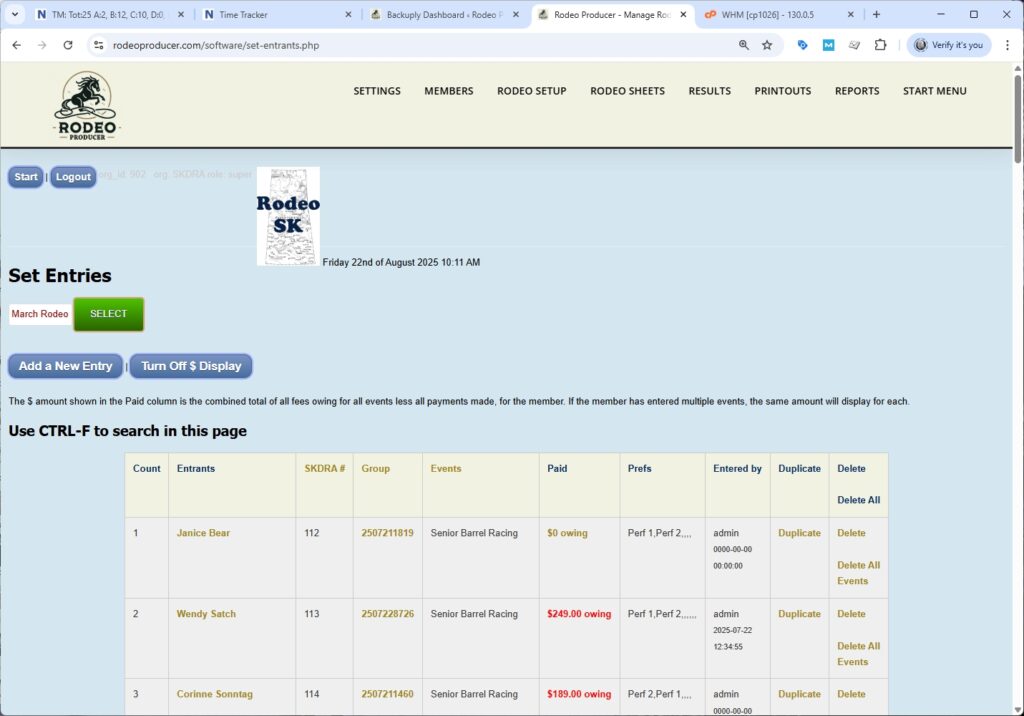
These entries may have been entered by the members themselves or they may have been entered by the admin. This is all of them here. We have their name, their association membership number, the entry group. If your organization doesn't use entry groups, then you can ignore this column. Which event they're entered in. If they are entered in several events, they'll be listed several times per each event entry. It keeps track of the amount of dollars that they're owing. Clicking this link will take you to the payments management section. We will cover that in our next chapter. If your rodeo is set up with multiple performances, it will show their performance preferences here. Looking to the far right of the table, you can duplicate an entry, you can delete an entry, and you can delete all the events of this entrant. When you use the delete buttons, it will ask you to confirm your deletion. If we want to find perhaps all the entries by Janice Bear, we can use Ctrl+F to search for anything in this page. In our example below we will search for Janice Bear and then we can jump from her different entries here and see uh where she is in the list.
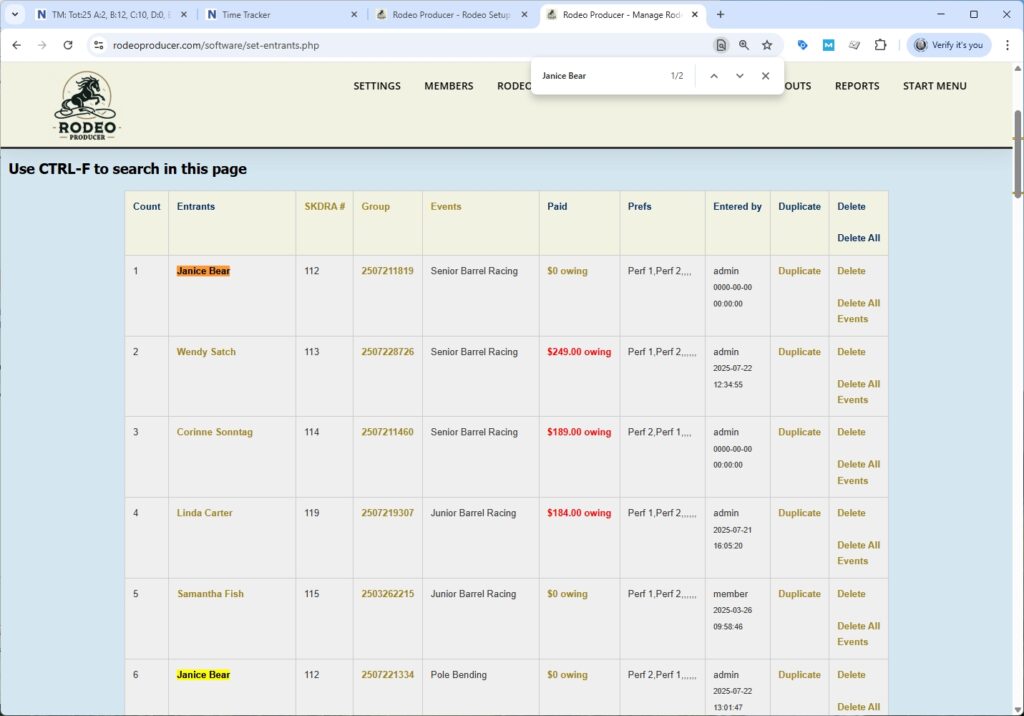
Initially this list is sorted by each event all the entrants within that event. There's a total count of entries down the left hand side here. If we need to manage/edit some of these entries just click the entrants name. Perhaps Wendy entered Senior Barrel racing and perhaps what she meant to do was enter Pole Bending. A mistake that will happen. We click on the entry and we can actually make changes to it. We can move her to a different event.
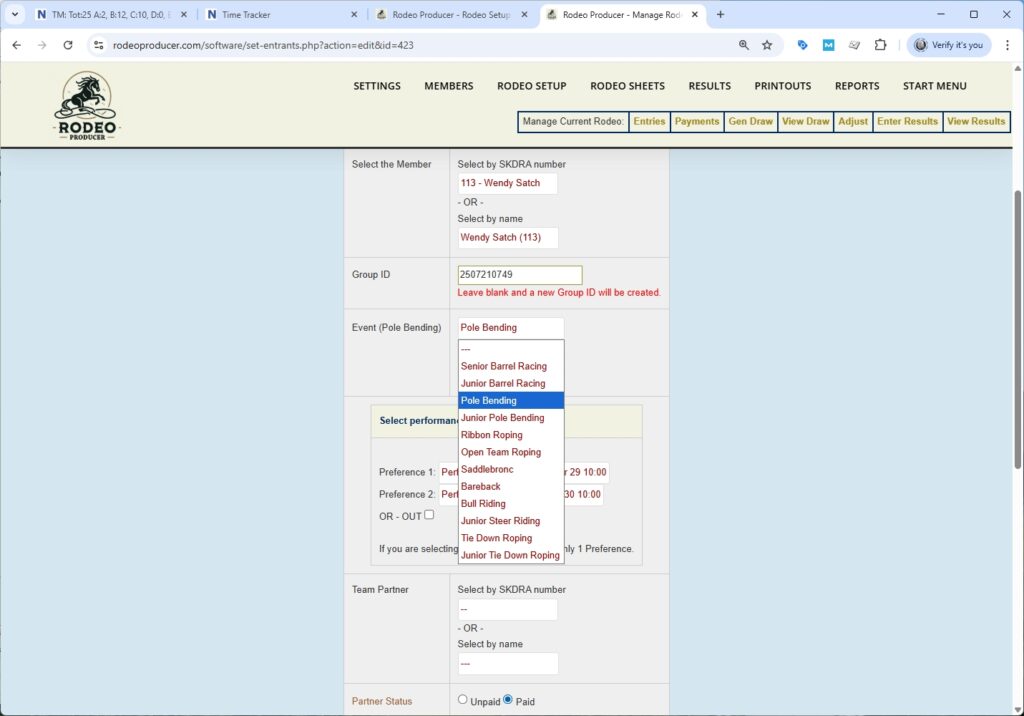
We can change the performance preferences. If this is a team event, we can change partners. When done we hit the Submit button. If we scroll down to Pole Bending, now we see uh Wendy Satch is in this one.
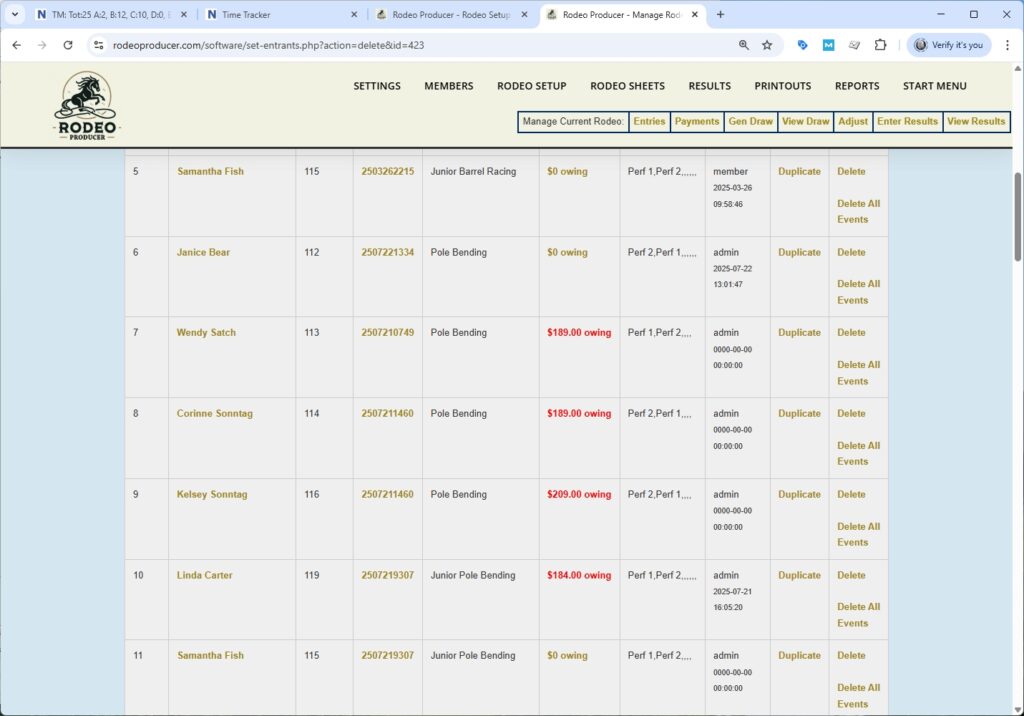
Making changes like this should be subject to whatever your association allows but RP gives you the ability to make these changes and it is your responsibility to know the rules around how many entrants and who can move and when they can move and that sort of thing. The dollars owing will update if you've changed events, if the entry fees are different between events, these amounts will change. They'll update each time you load the form. If you are working with a very large rodeo and you're finding that the calculations slow down the load of the page or if you're on a slow bandwidth connection and you want to speed things up, you can turn off the dollar display. Just click the button to Turn Off $ Display. It will reload and the $'s column will be hidden and the calculations will not take place which will allow you to make some changes and adjustments more quickly if needed.
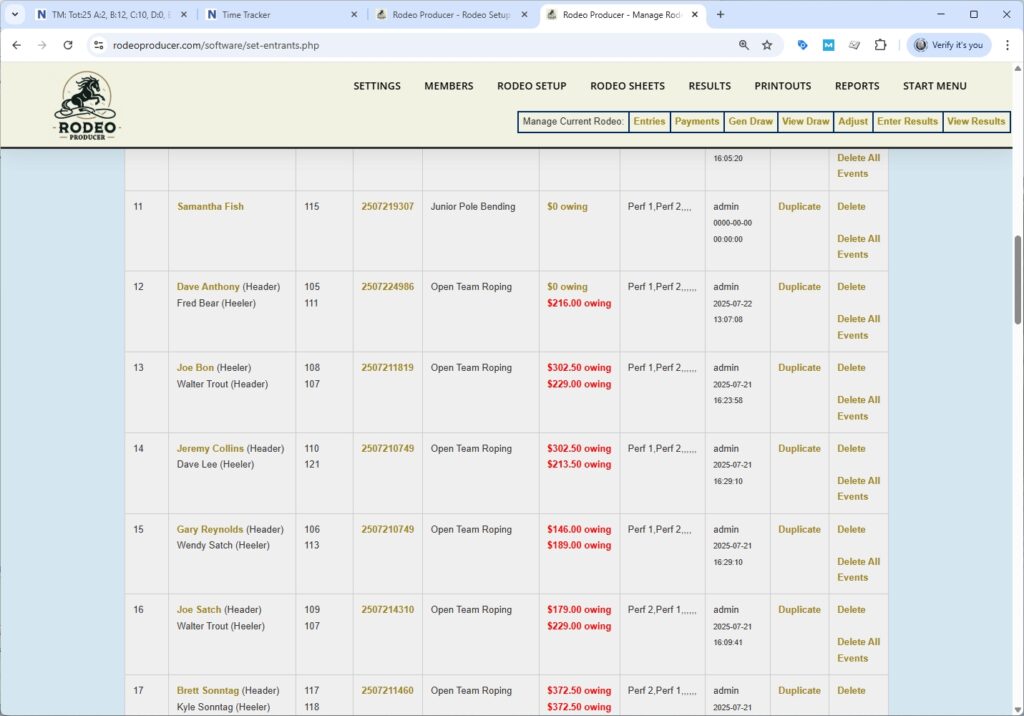
We do have some team events in the entrants list. If we have ended up with some incorrect team entrants here and we need to make a change we simply click on the lead entrant and we can change the entry.
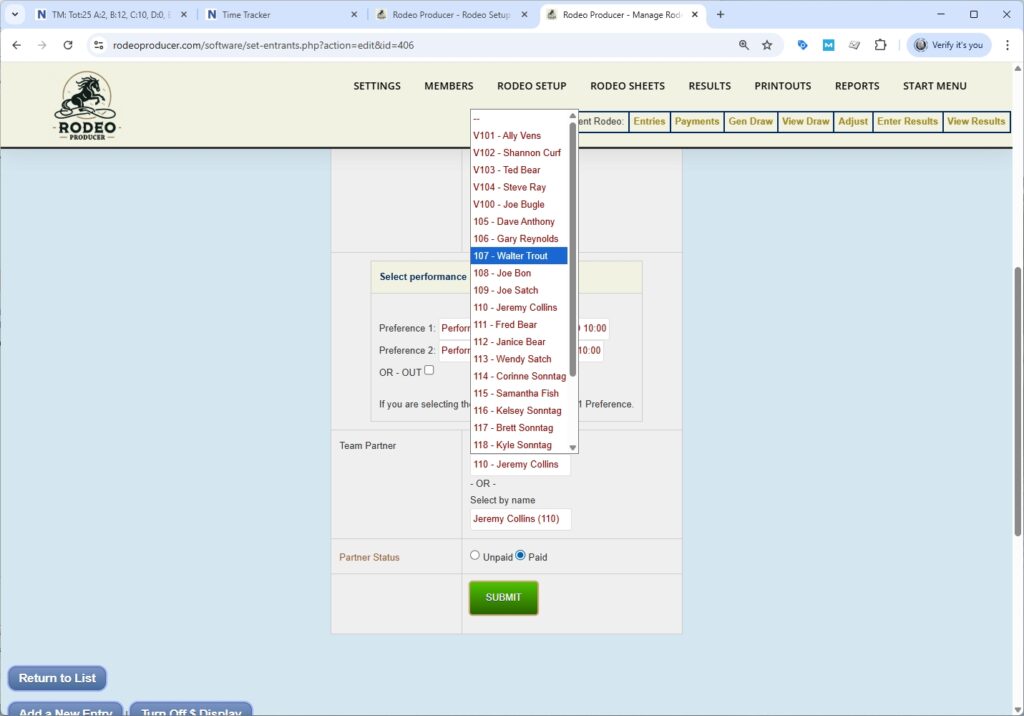
We can change the performance preferences and we can change the team partner. So if we wish to edit this to another partner (Walter Trout) and then we submit and the roping partner will now be changed. It's a new team partner for this event and it will update the the payments owing for both the previous partner and the new partner because we would have removed one and added another. This new partner would now owe their fees for this event.
Another available option here is you can add a new entry. If we want to place one person in one event, we can do that here. Click on Add a New Entry. It's a similar form.
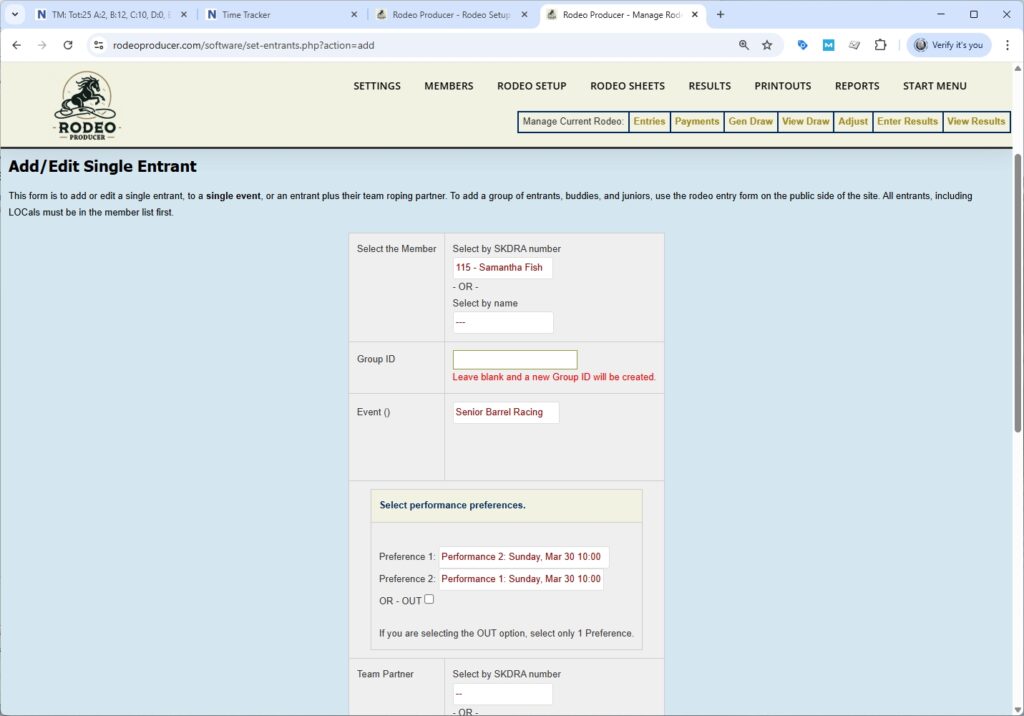
We select the member. We will add her into Senior Barrel Racing. We will select the performance preferences and we will submit. We scroll down now we have the new entry.
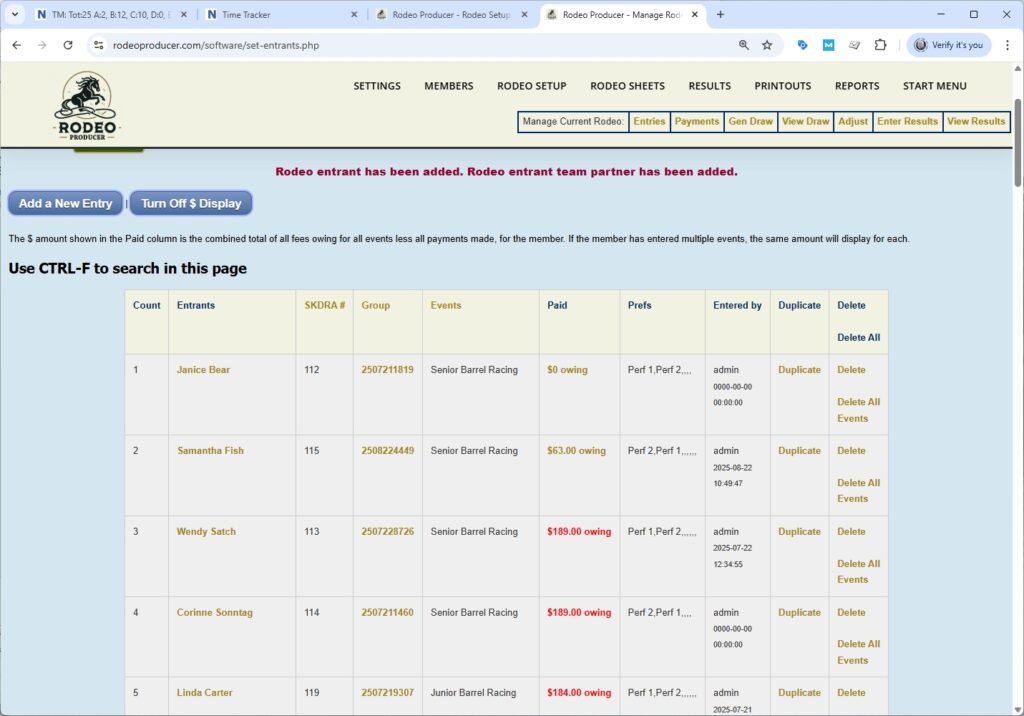
This is typically where you will manage your entrants, during the entry period as well as any changes that need to happen afterwards. There are three different ways that entries can be placed into a rodeo, online by the competitors themselves using our online entry form, using the add a new entry button here, and a chapter we will cover shortly is the Rodeo Entry by Admin which has a few more features such as the ability to add multiple entrants into multiple events at the same time. It uses the same entry form as the members have access to. If your organization uses entry groups when generating draws, we can actually go to an entry group by clicking the entry group number and see all the entries in that group and all of the members as well as all of the events they have entered.
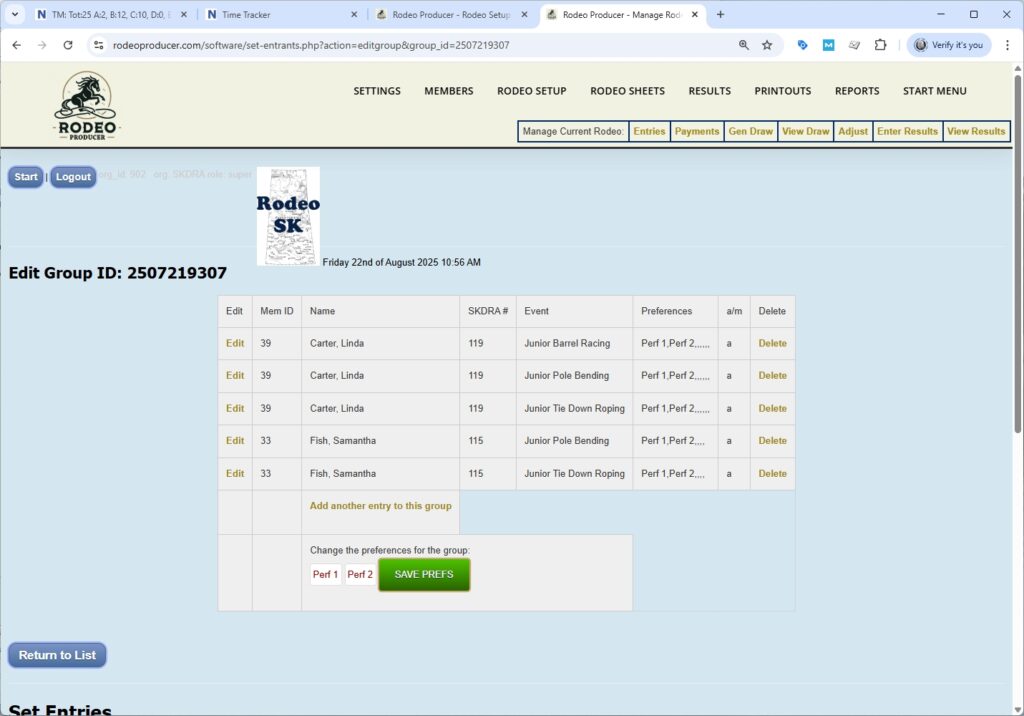
We can make adjustments here. We can we can edit or delete individual entries by a member, we can add another entry to this group, we can change the performance preferences. So we have the ability to enter and impact the entire entry group here.