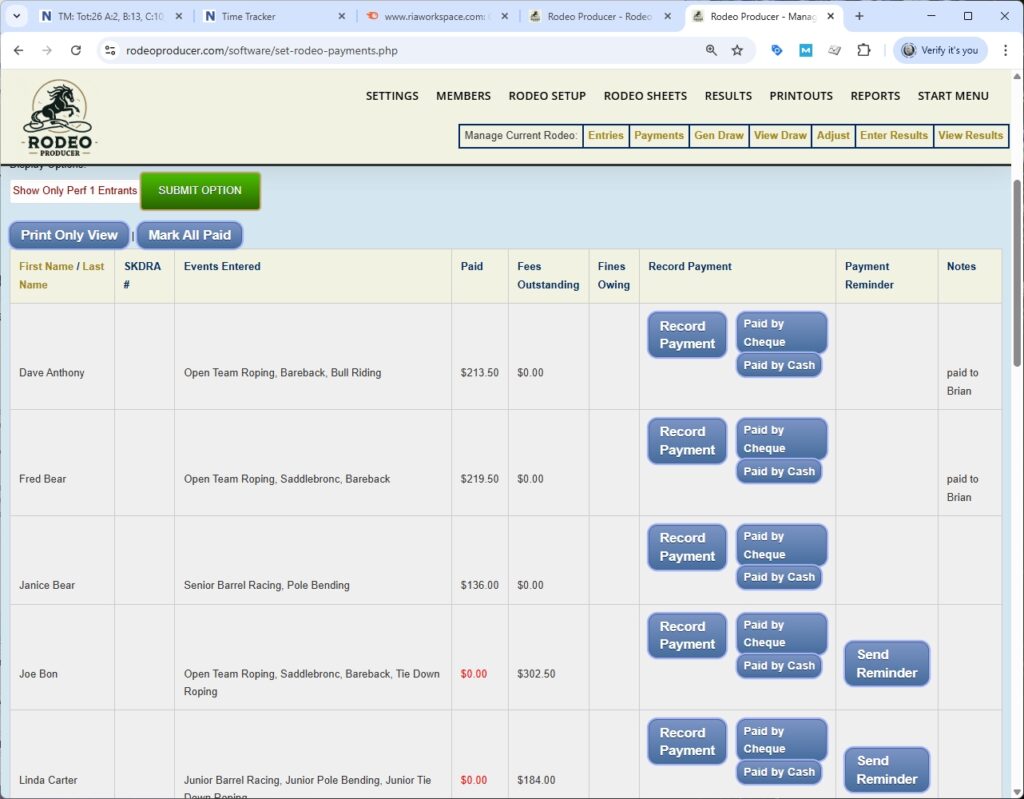
In this chapter, we will be talking about managing payments from your members for rodeo entries. We will go Rodeo Setup > Set Payments.
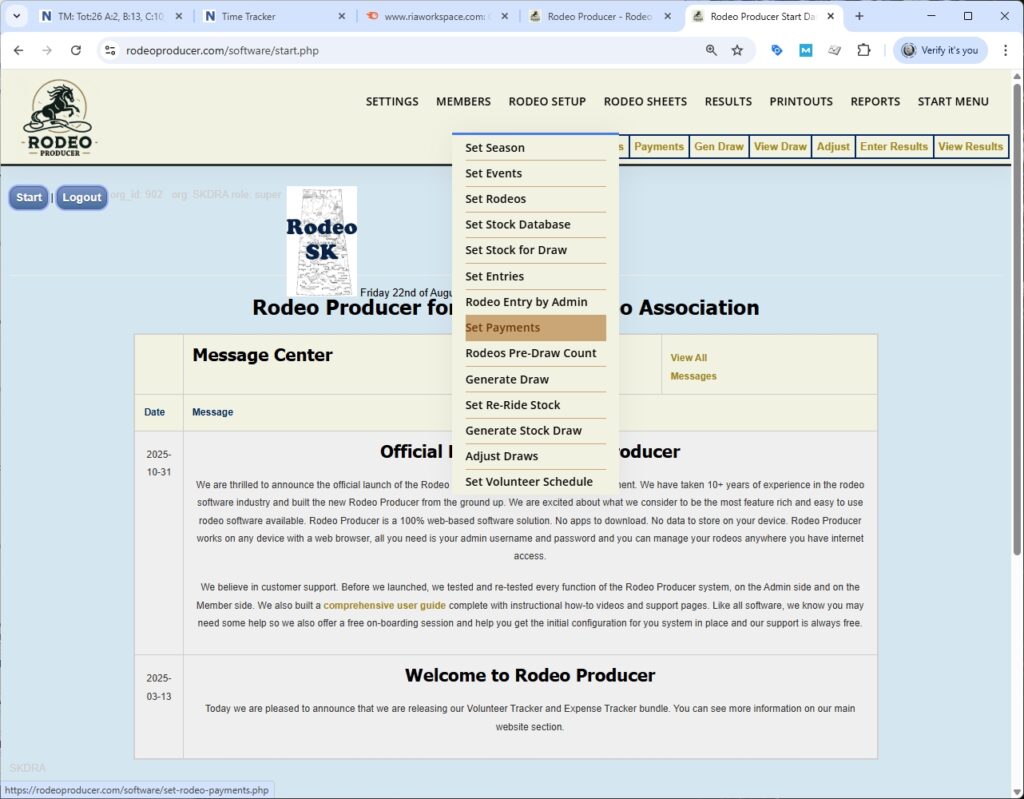
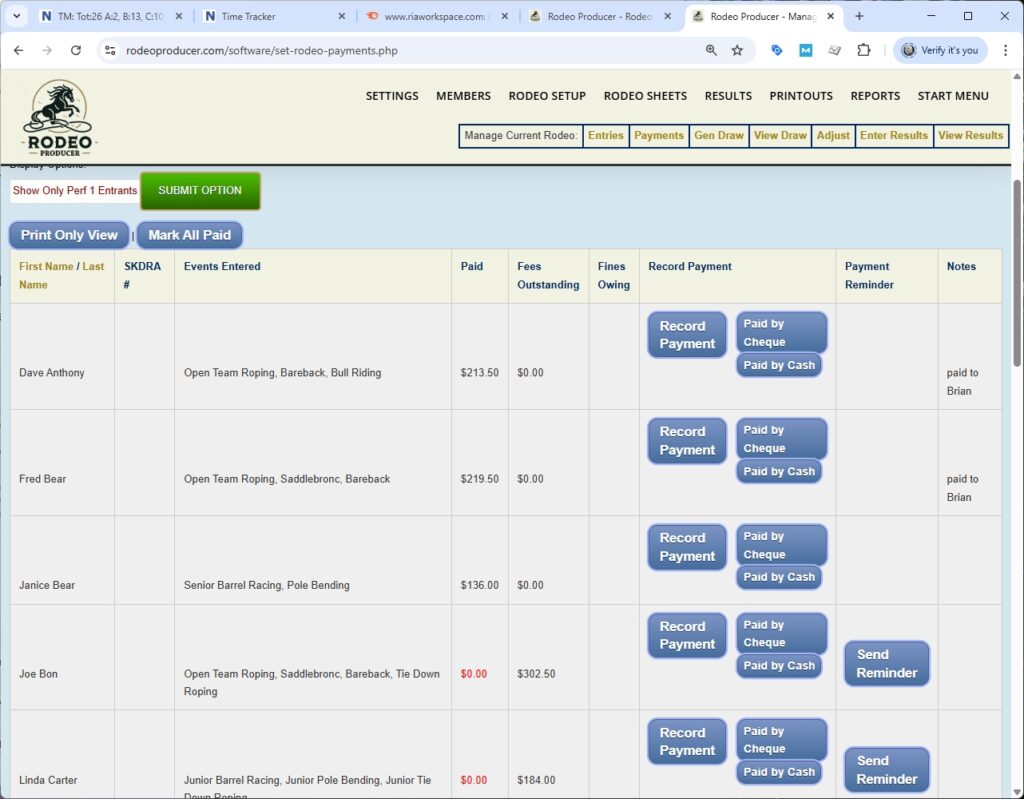
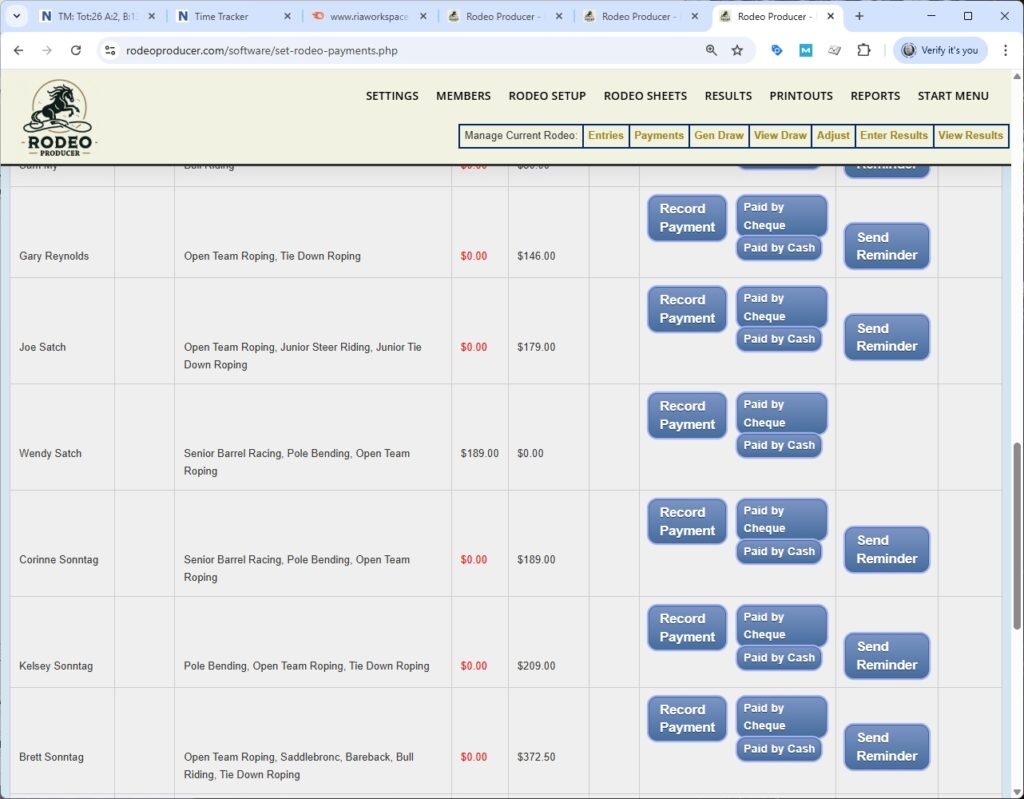
Select the rodeo RP will show us all of the entrants for this rodeo sorted by their last name and for each member it will show the events they are entered into, the amount they have already paid, any fees that remain outstanding, any fines that are owing. There a few shortcut buttons here so that we can record a payment quickly. Mark it Paid by Cheque and a quick Paid by Cash button that would mark a particular member's fees paid by those methods. Also a button to initiate your email client to send an email regarding this payment being outstanding.
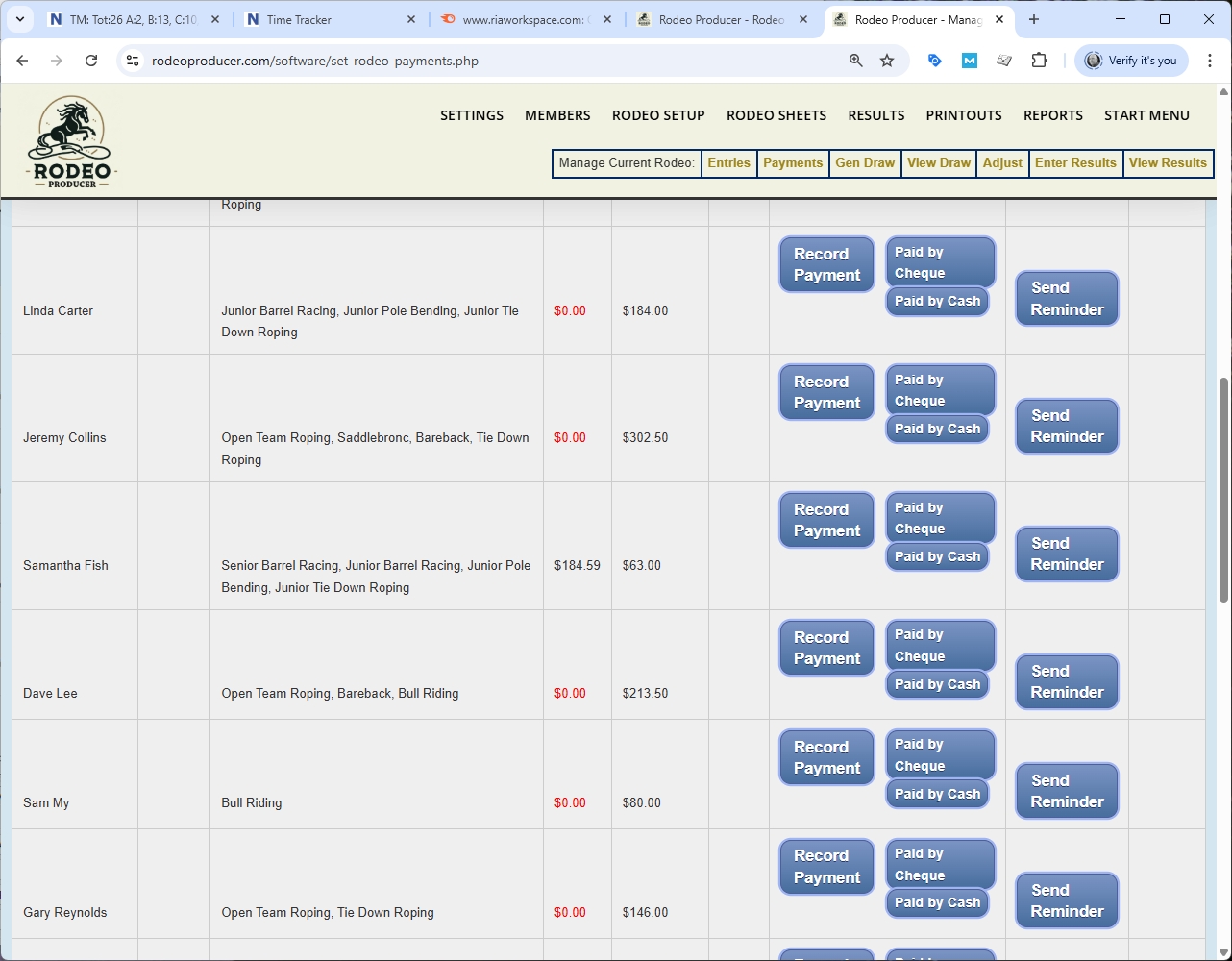
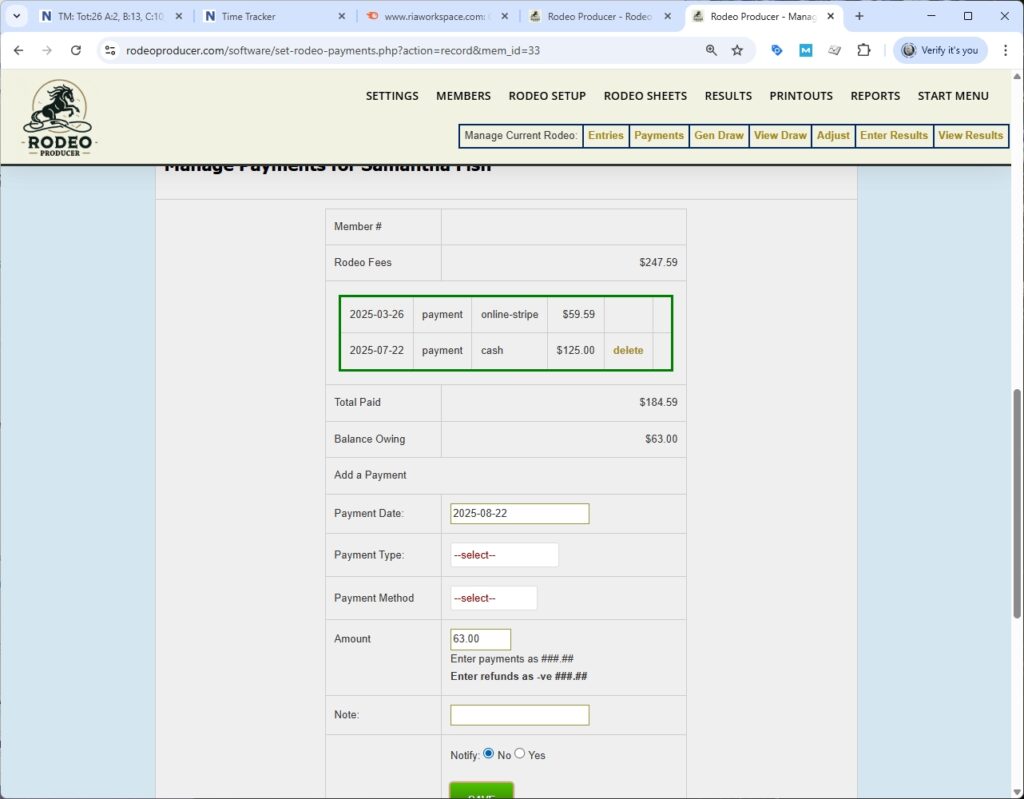
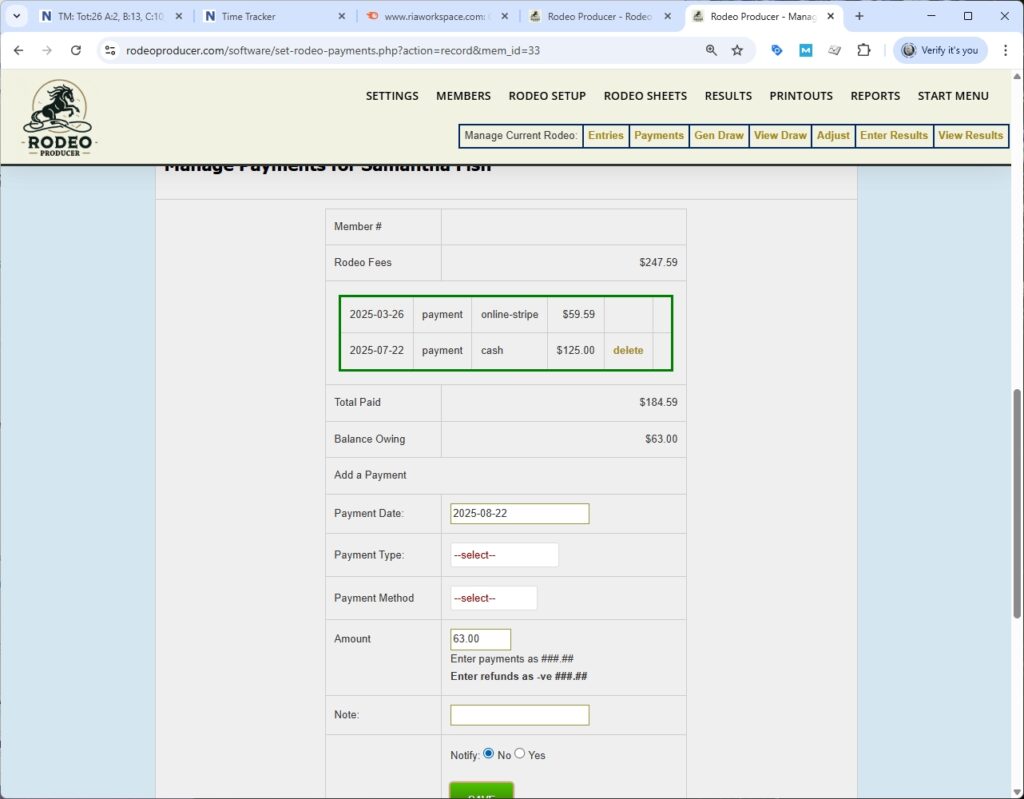
We'll take a little closer look here. One of the one of the things to note is that if a member has made a payment, such as Samantha Fish, it will it will show up and be deducted from their amount owing. We will click on Record Payment for Samantha Fish and see a fees and payment summary.
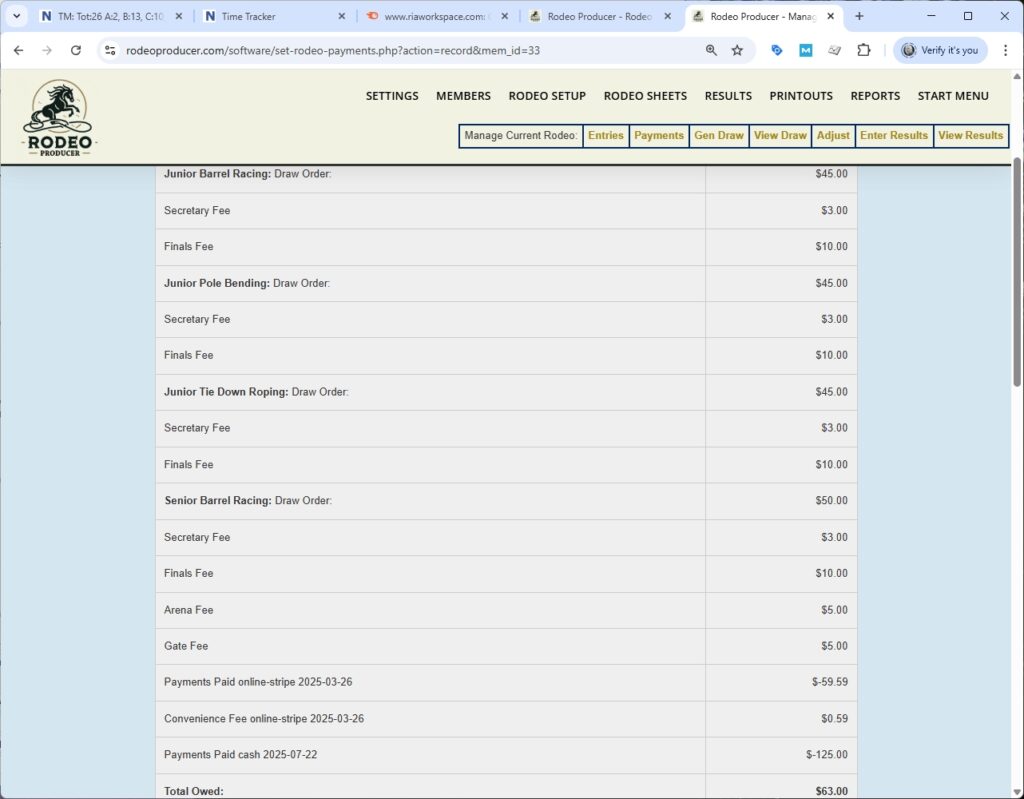
There was a payment made online with the Stripe payment processing system built into Rodeo Producer and then they entered some additional events. So, that payment was automatically recorded, without the admins having to touch anything. She is entered in four different events. The listing shows the fees owing for what they have entered broken out by each event and then the non-event fees shown here as well. The payments made, the convenience fee if they paid online, and any non-online payments. Here we see she owes $63.
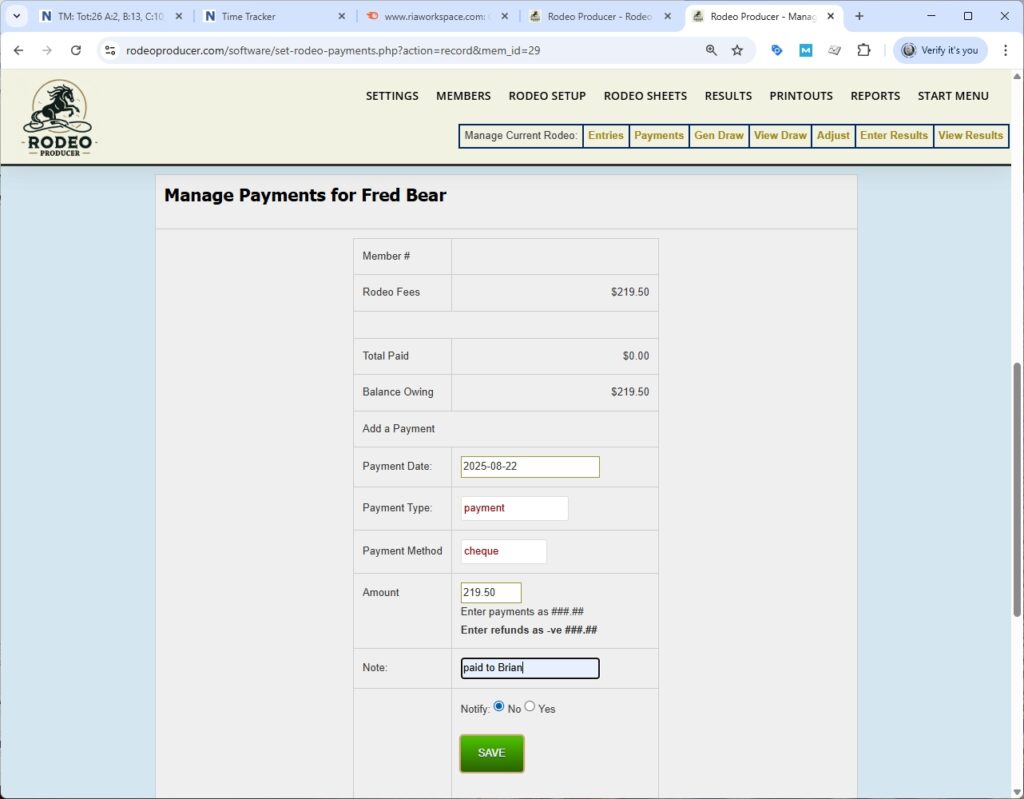
We can go back to the main list by clicking View List. We will click View Payment for Fred Bear. In this case he has paid zero. If he is making a payment now, we can record a payment here. Payment date of today if it was made on some other day you can change this date. So the type is a payment, on entry fees. Choose the payment method, whichever method they happen to use to pay directly to your organization. If there was an online payment, it will already have been recorded here. We can add a note here uh if we wish. We'll just say "paid to Brian" who might be our finance manager, click save.
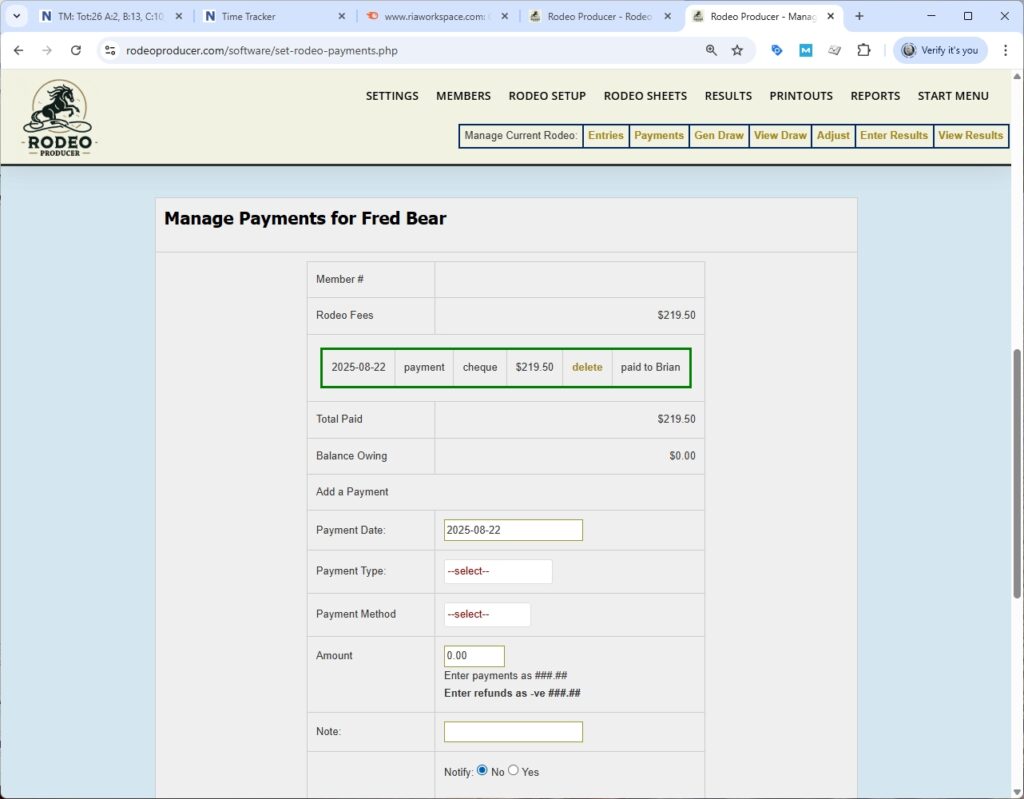
Here's the payment showing. So here it shows the payment date, the payment type, the payment method, the amount uh and the note. And we can delete that or uh leave it as is showing a total paid and a balance owing of zero.
So if we click to view the list, uh we now see here's Dave Anthony. He's paid. He has zero owing and so his balance is is zero. Let's look at Janice Bear who owes some money. Let's click the Paid by Cheque button.
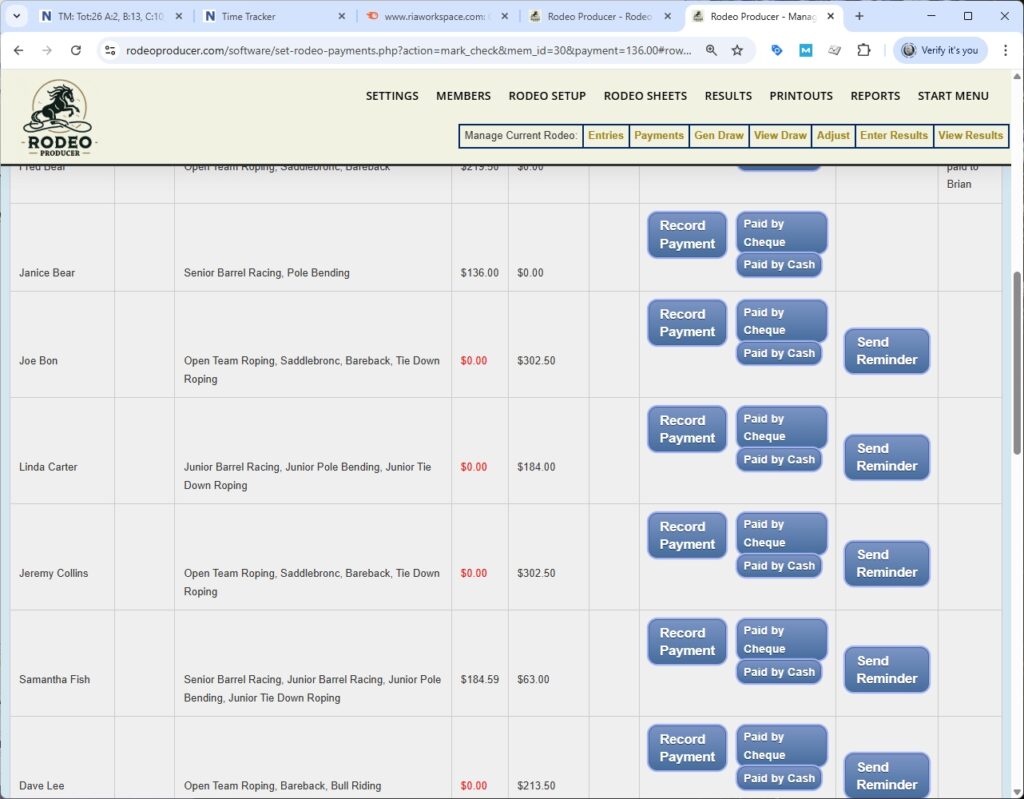
It shows that the amount has now been paid and the balance owing is zero.
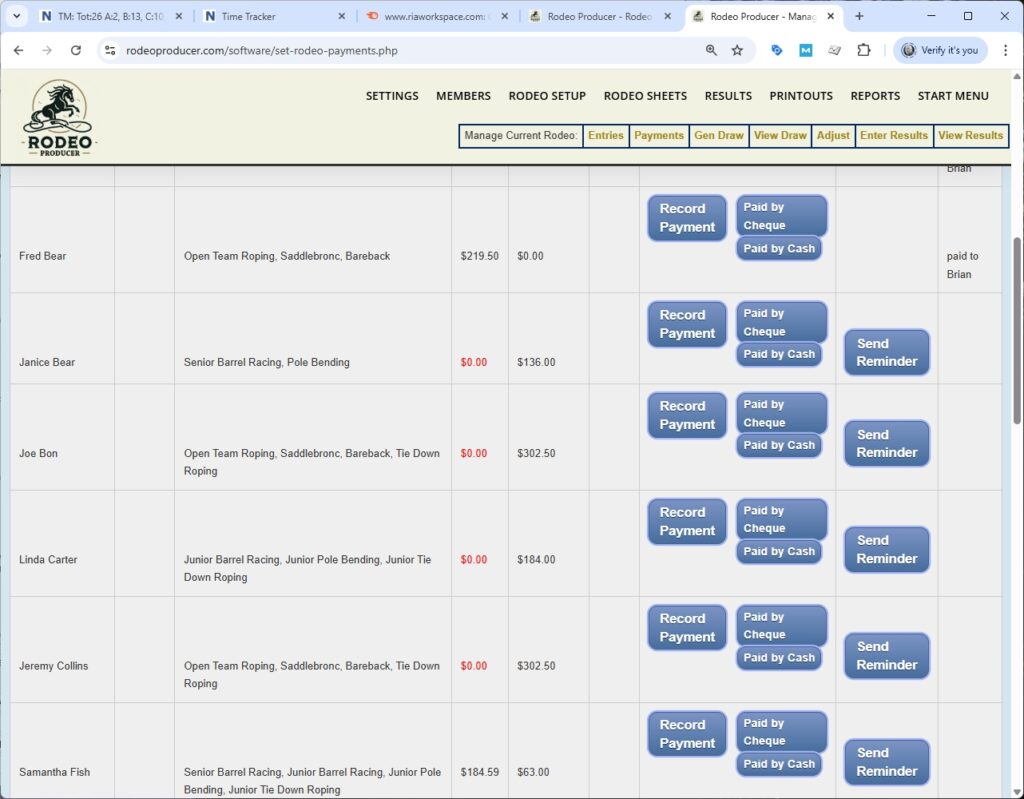
Another way to get to this Record Payment link is from our entries list. If we look at Wendy Satch.
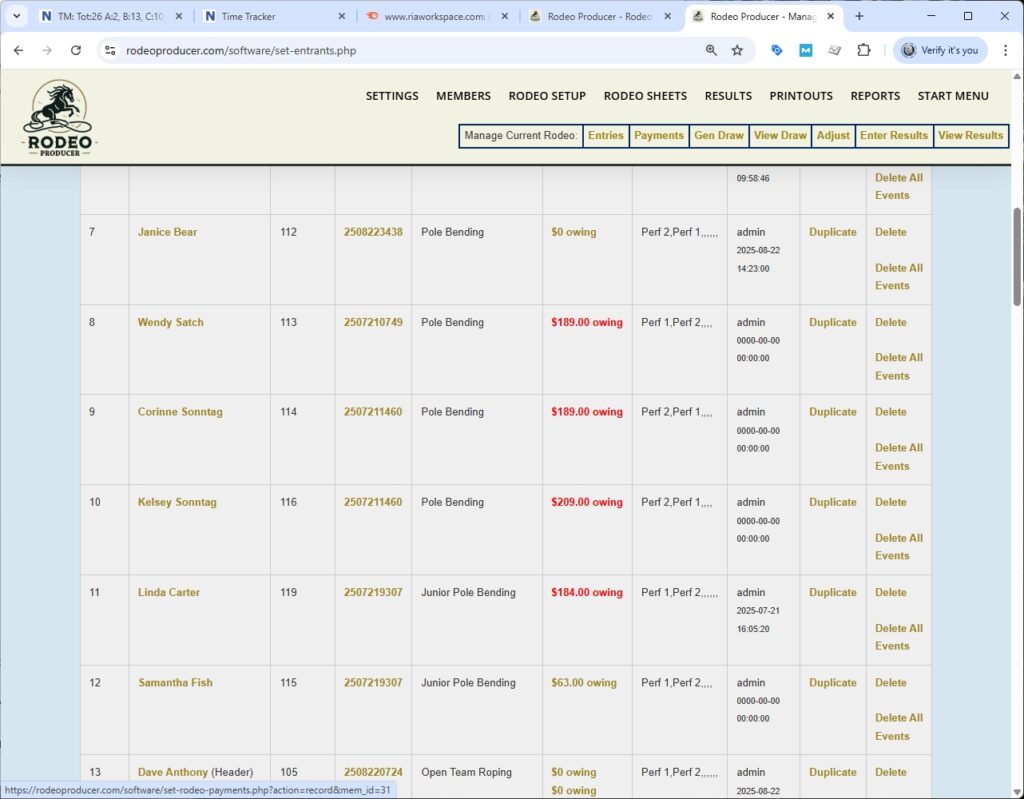
We can click on the amount owing and it takes us to that same view with the detailed breakdown of fees owing and this person has made a payment so it's showing the balance owing.
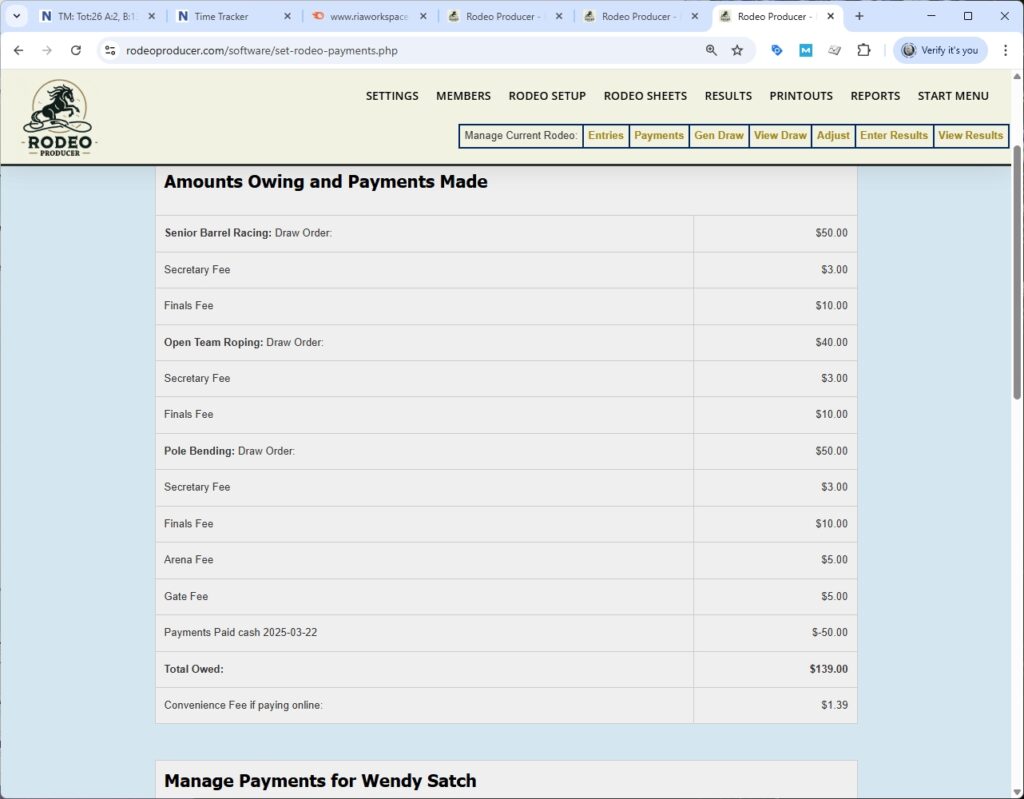
We can do a payment here. We'll make this a cash payment. It defaults the amount here to the balance owing. You can change that if necessary. We will pay the total balance owing and then we'll save that.
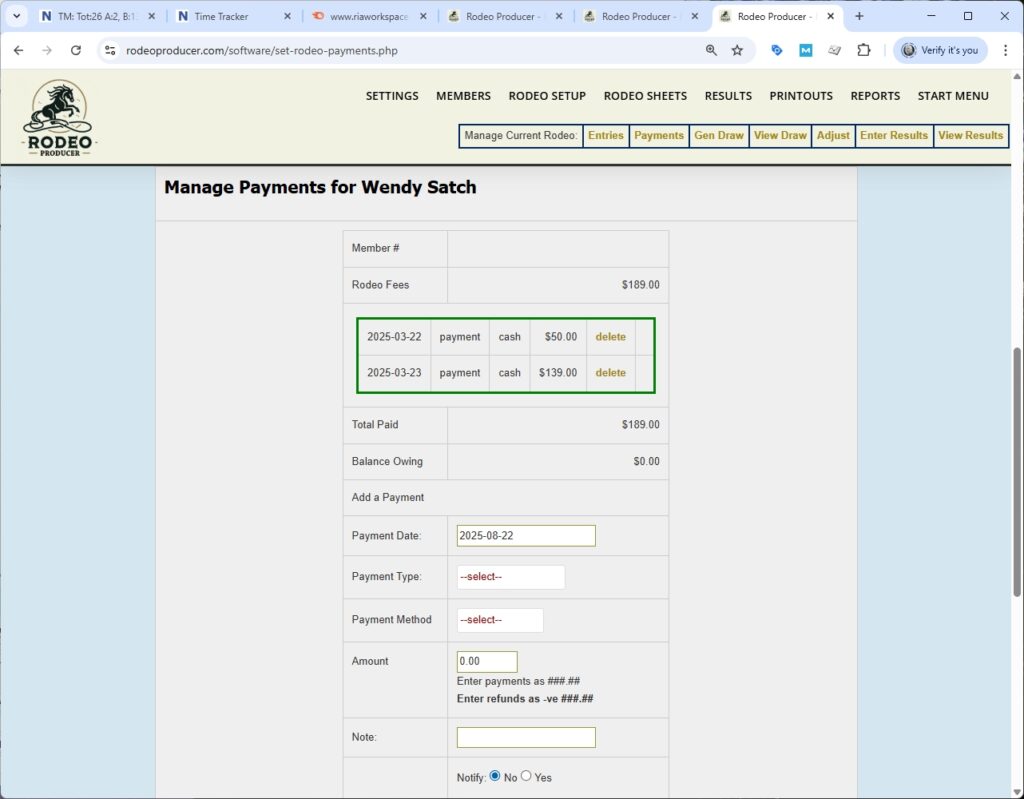
Now we'll scroll down and we'll see that that payment has been added as well.
Here's an example of a payment that was made online using Stripe. You can't delete this payment that was done online. You can only manage that through the Stripe interface.
When viewing the list here again uh you do have some options available above the table. You can display only a certain number of entrants based on some criteria. You can switch to another rodeo to manage payments for that rodeo. One of the columns we're showing here is is the fines. This will be all the fines that are owing by that member of the association, regardless of which rodeo the fine may be associated with. The last thing to point out is if a member has fully paid their fees for the rodeo, the payment reminder button does not display. When you send a payment reminder, it will send it by email. It will also include a link in the email for that member so they can click the link, go to their profile, and make the online payment for the amount owing.