
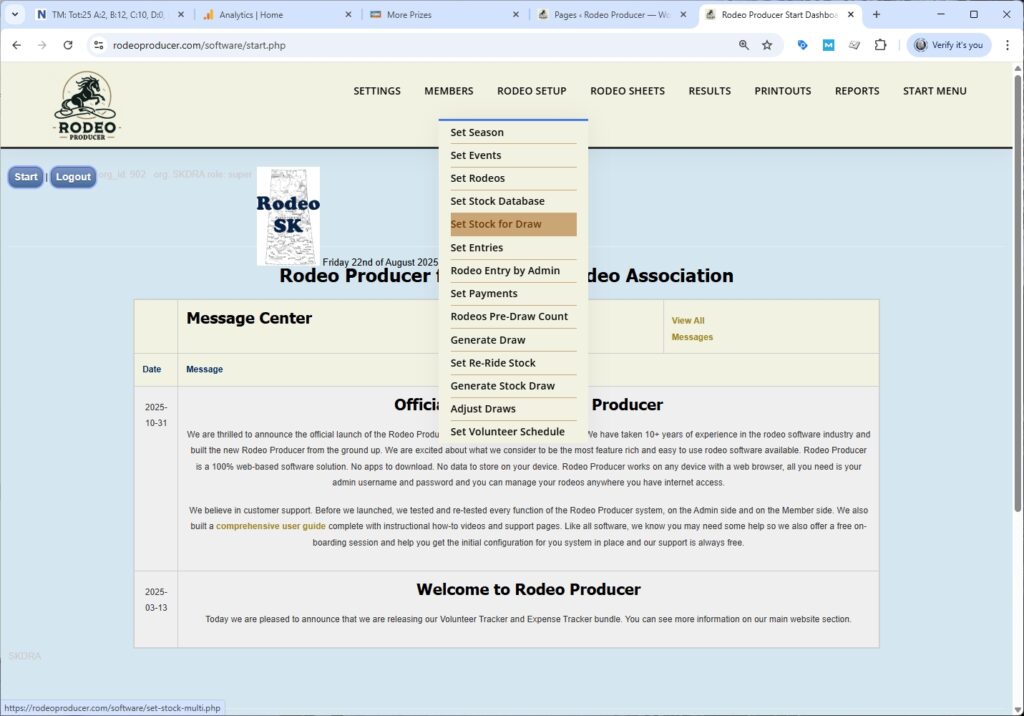
In this chapter, we will discuss setting your stock selections for the draw. We will go to Rodeo Setup > Set Select Stock for Draw.
We will choose the rodeo we're working with. And now we have a number of options. We'll have a look at the table here below. And this is a table of our stock contractors that we would have set up prior in Setting Stock Database.
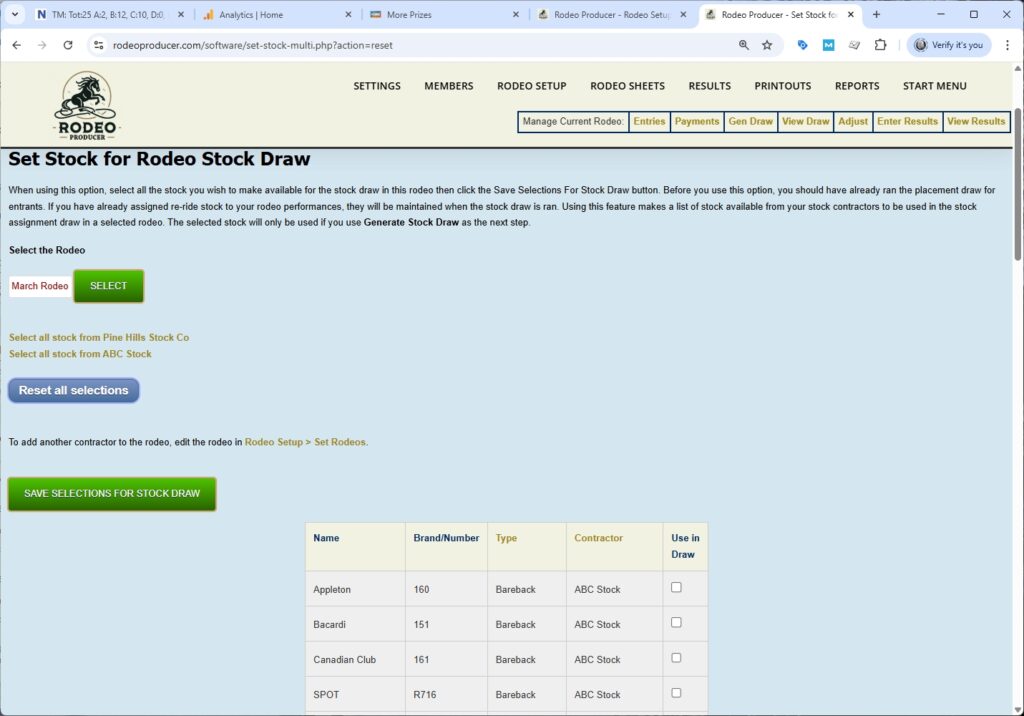
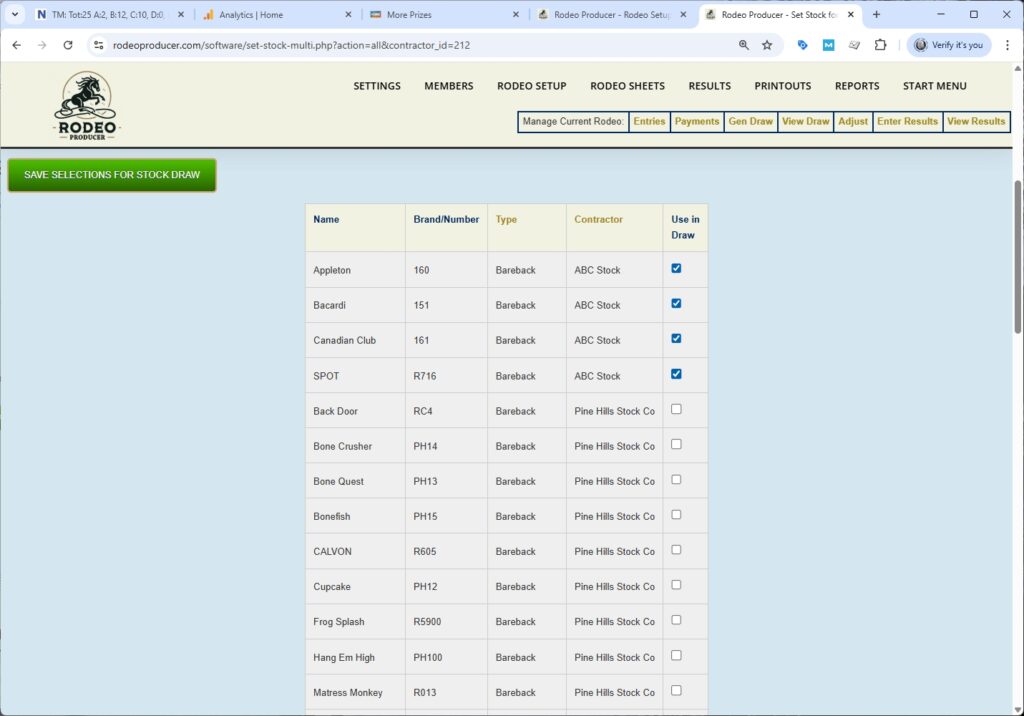
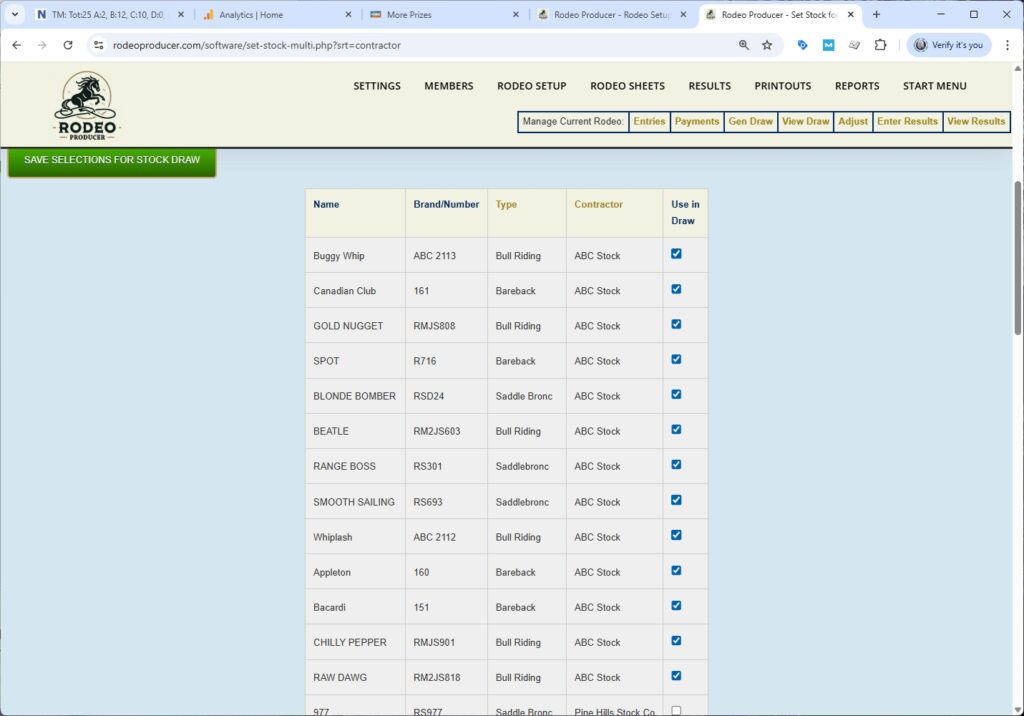
It has a list of all of the stock and indicates event types. It has all of the contractors as well as a use in draw checkbox which we will obviously need to use. There's several ways in which we can do this. We have automatic select all options. These are the stock contractors that are listed in the Rodeo Setup for for this rodeo and we can choose to select all the stock from each contractor if we wish or we can make individual selections or a combination of that. Let's start with Select All Stock from ABC Stock. ABC Stock is one of our contractors and after we click Select All we can scroll down the list here and we can see all the animals and the type of event they are set up for from ABC stock.
We also have Pine Hills Stock Company as one of the stock contractors for this rodeo. Now, if they are only going to be providing a few animals or perhaps for specific events, maybe they're supplying uh some saddle bronc horses. We'll make some selections here of all of their saddle bronc horses.
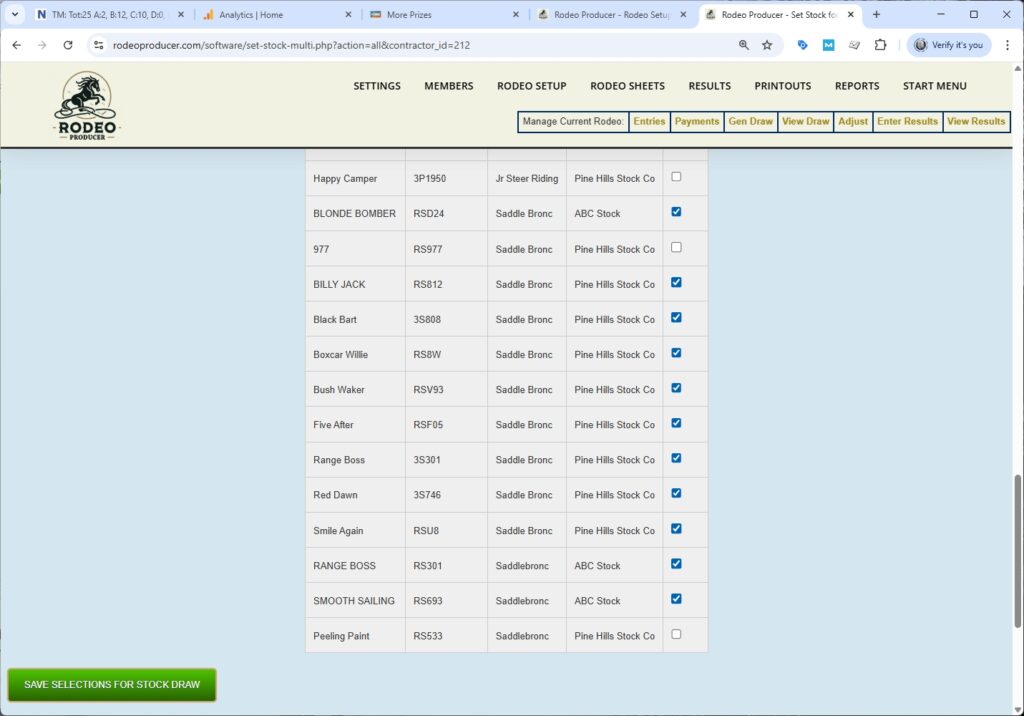
We'll hit the save selection for stock draw, and that will update our list. The Use in Draw column will now indicate all those animals that were selected before as well as the Pinehill Stock Company Saddlebronc horses that we just selected. At this point uh all of these animals would be available to use in the stock draw. So that would be the next step. They're also available to assign manually in some of the other functions. If we wish to simply start all over, then we hit the Reset All Selections button and that would wipe out all of the check boxes and we would have a clean list here. One thing to to make note of, once we've selected the stock, they're available for the stock draw. This selection of animals is specific to the rodeo that we are working in. If we were to choose another rodeo we would see a different list, either a blank list or a different list of stock available. The Use in Draw stock list will be maintained as you move from rodeo to rodeo. If you find that you don't have the stock that you need, if you need another stock contractor, you would go to Rodeo Setup > Set Rodeos. Choose that rodeo, and then add another stock contractor. Once you do that, that stock contractor and all of their stock will appear here. If you need to sort, we can sort by type. Now everything is sorted by the event type for that animal.

If you need to sort it by stock contractor to work within the animals from a particular contractor, you can sort by this heading.
After you have made all your selections, and saved, ensure that you have the competitor draw ran first, Then you would use Generate Stock Draw and it will assign these animals to the draw. If you have already set some re-ride stock, it will not use that re-ride stock in the assignments.