Team Roping Draw Generation
In this chapter, we will talk about Draw Generation for your Team Roping Events and then a quick look at how to Adjust Draws. We'll start with the Draw Generation. This is a a pretty simple process for the Admins. Behind the scenes there's quite a complex set of code but to actually generate a draw is a pretty simple process. We will choose the competition. We will initialize the draw which copies all of the entrant information to the draw file. Once you initialize a Draw for a Competition, you shouldn't have to do that again, unless you've made changes to the entrants in which case you would reinitialize and redraw.
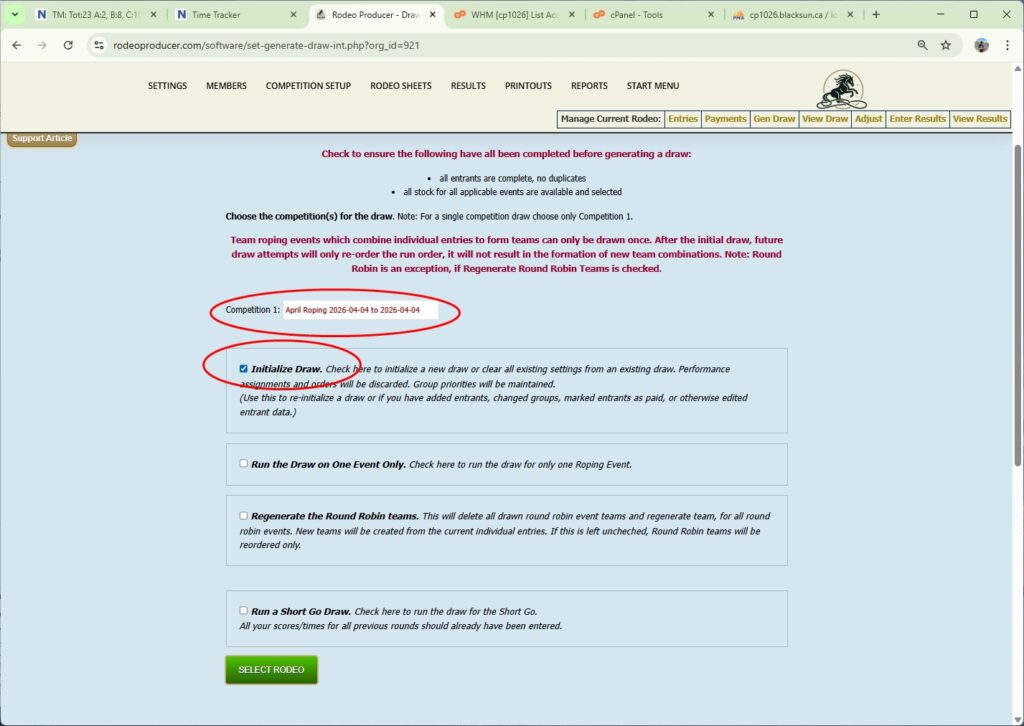
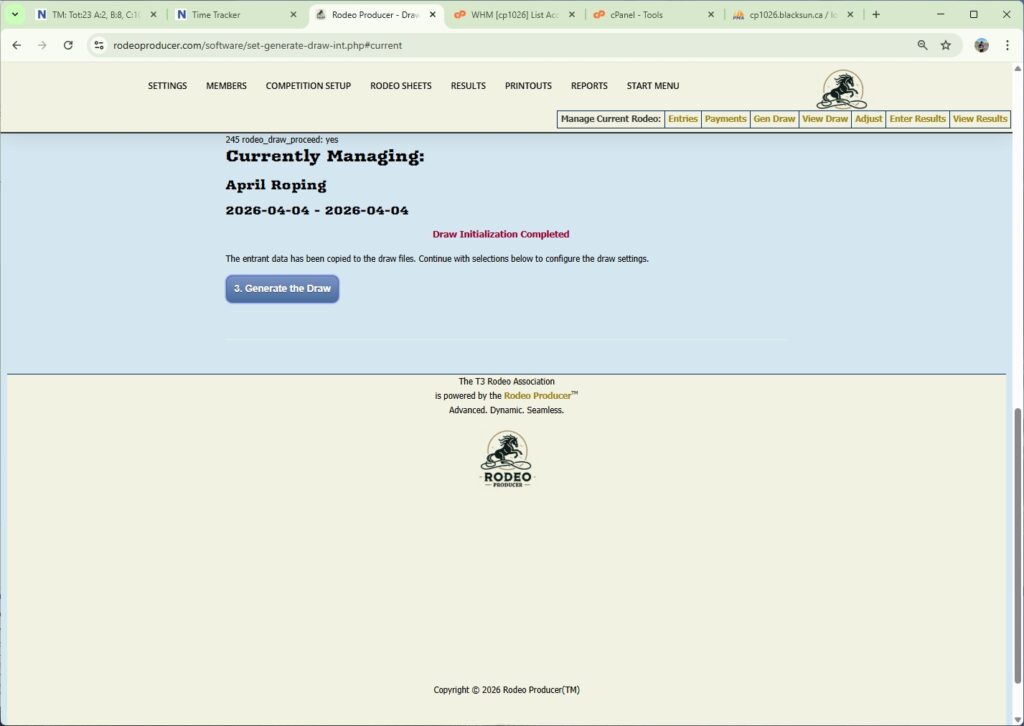
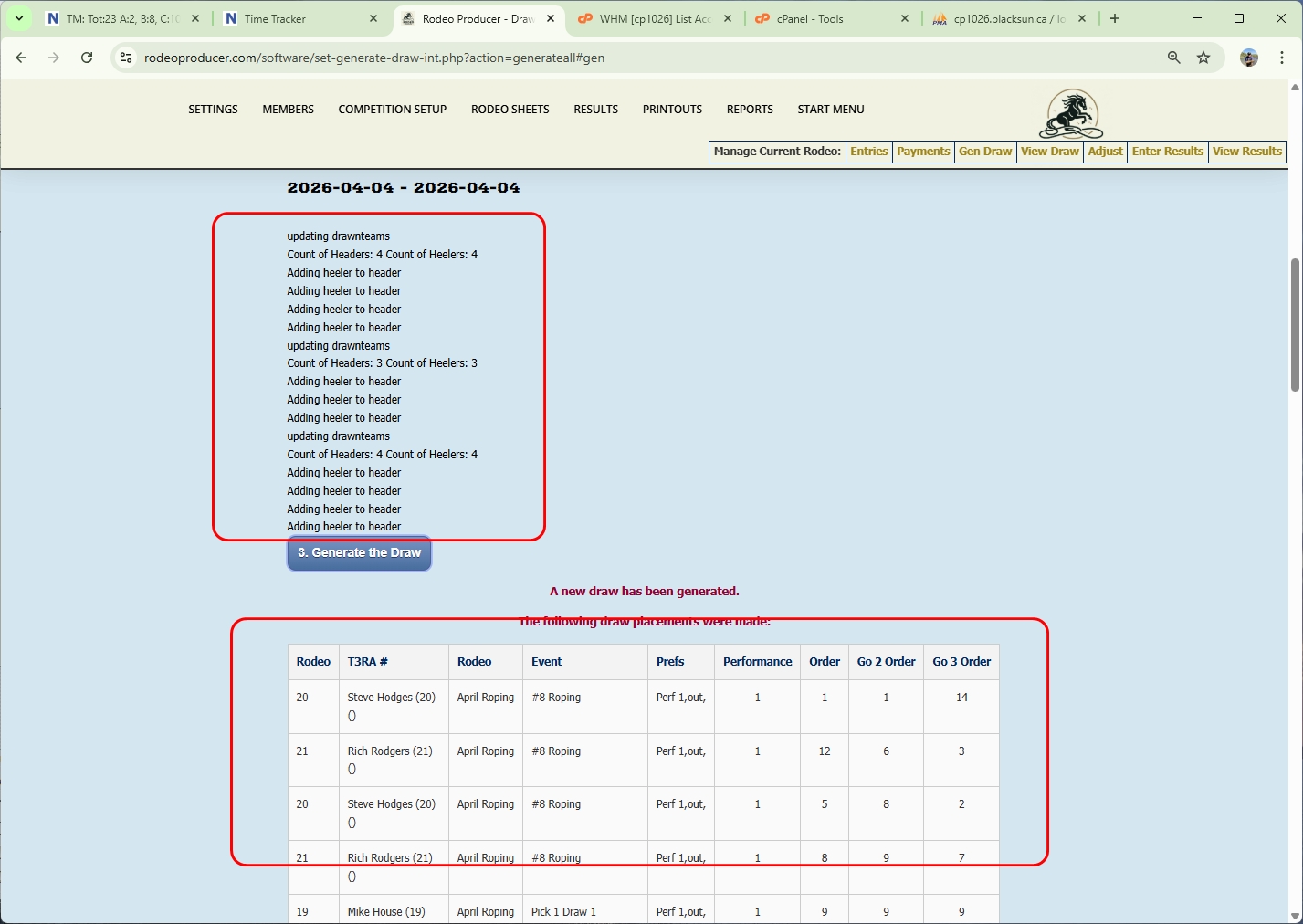
We will click the Select the Rodeo button after we choose initialize. After the page reloads, click the Generate the Draw button and it's going to give us this report here that's going to show us some of the the results here.
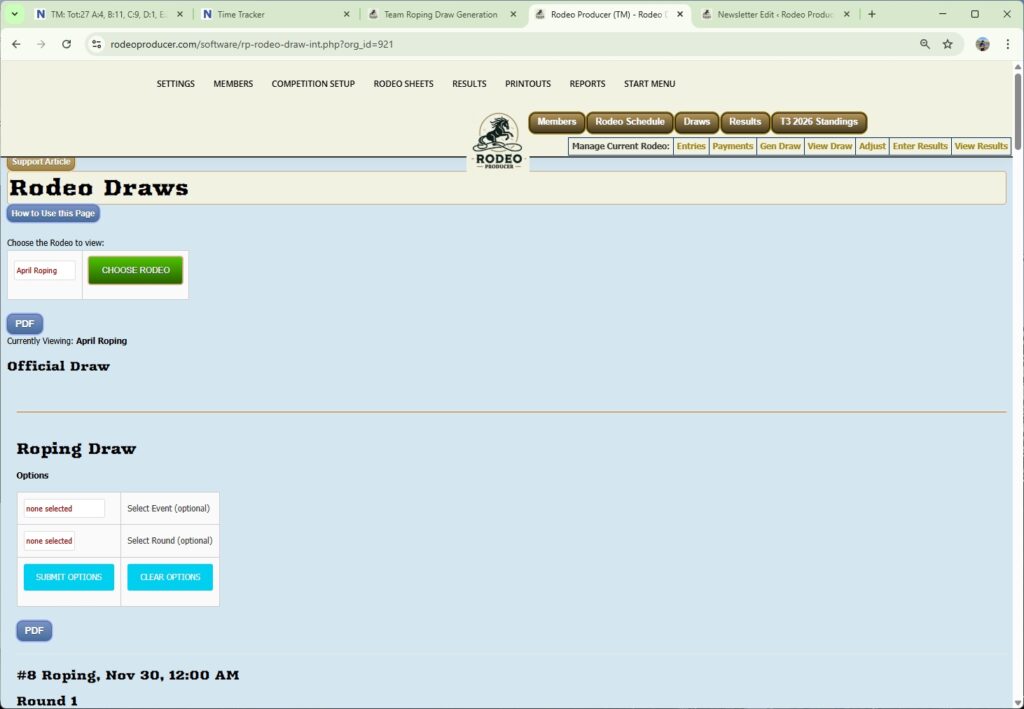
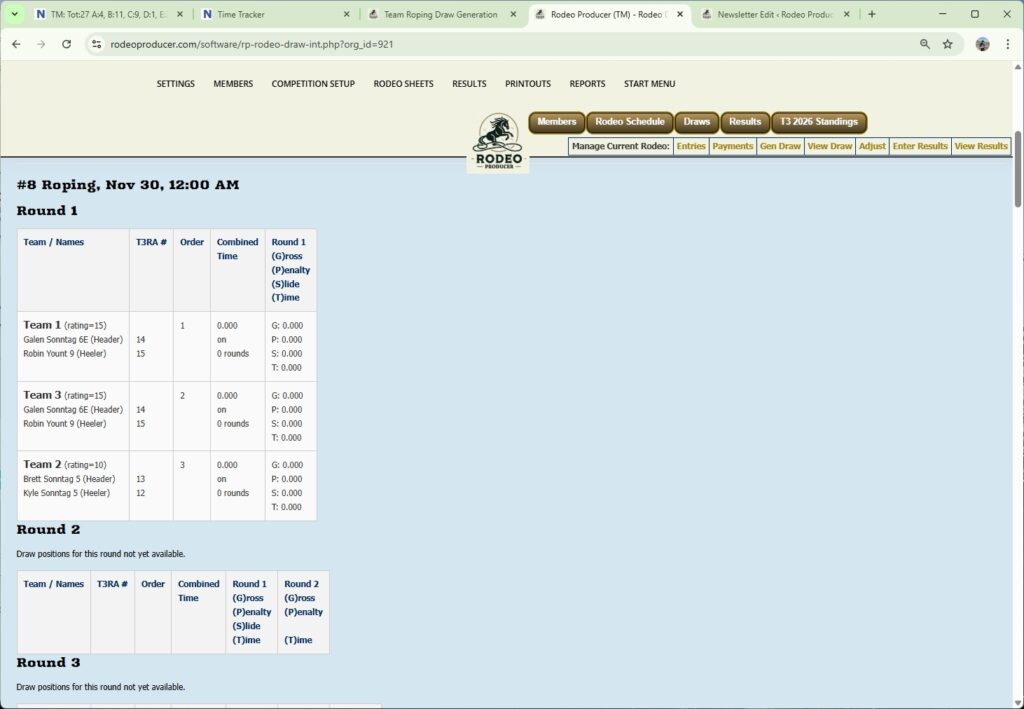
After we have generated the draw we would go to Rodeo Sheets > Draw Preview to have a look at the draw. Let's look at the #8 Roping event. We choose the competition that we want to view. We can also choose specifically the event and the round. As we scroll down we can see this was an event that was a team only entry. There were no combinations of header and healer to draw together. These would have been the teams as entered. What the Draw Generation Engine did is randomize the order for these teams to appear in the draw. Teams were also name Team 1, Team 2, and Team 3. We also see the team ratings here and these are displayed in draw order. There are no times yet. Nothing has been entered for results yet for this event. Round 2 will not display the draw until Round 1 has been completed as any teams eliminated will be dropped from the draw display.
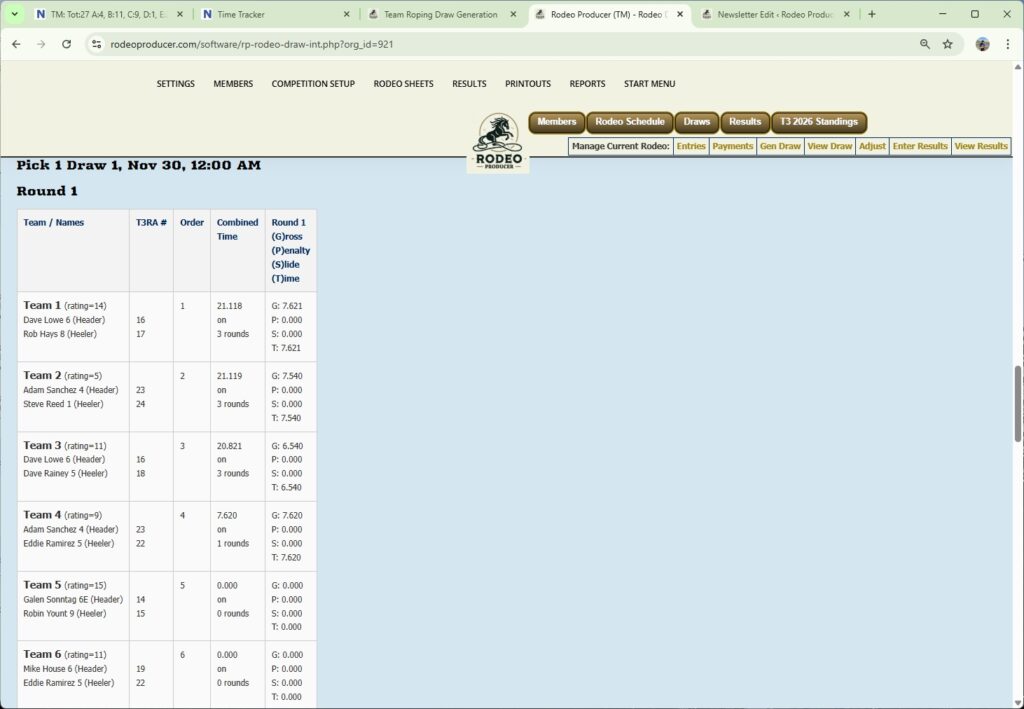
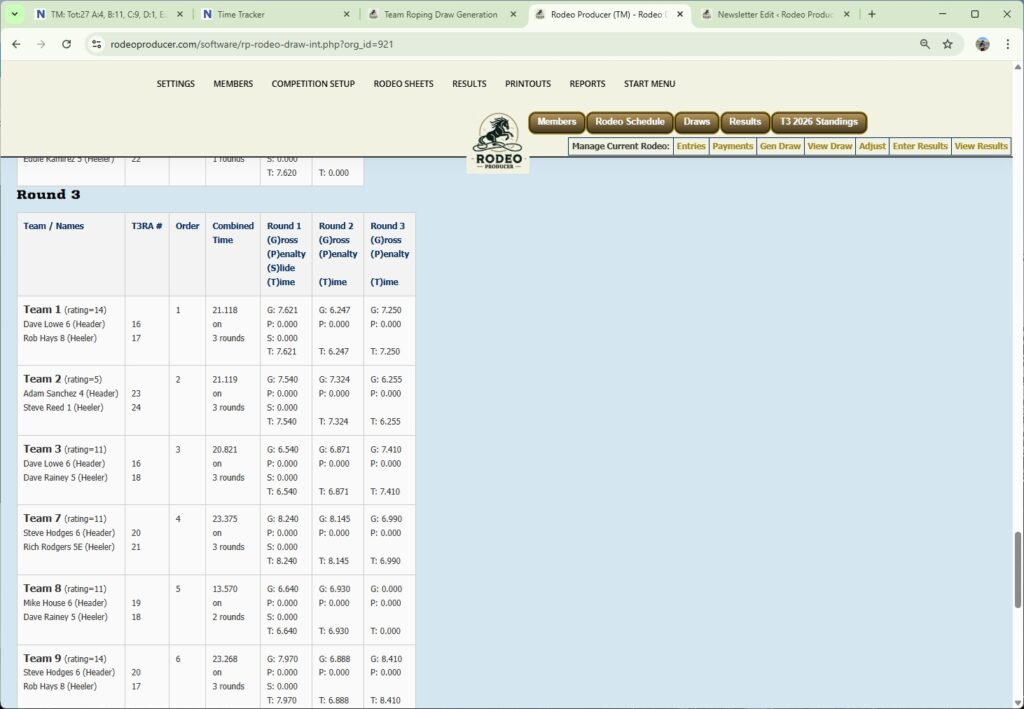
Let's take a look at the Pick 1 Draw 1 Event where we entered some teams as well as some individual header healer entries. We scroll down to Round 1. We have teams 1 through 10. So these are a combination of the Pick teams and the Draw teams. The Draw teams were drawn together based on the settings of that Event and using the roper header / healer ratings. You'll see that we have some some times already entered in here. The display here will remain in draw run order. As we have entered times for Round 1, 2 and 3, we can scroll down to Round 3 and we see that some teams are no longer in the Draw display as these would be teams that missed in a previous round. The display includes the Combined Time as well as the times for each Round.
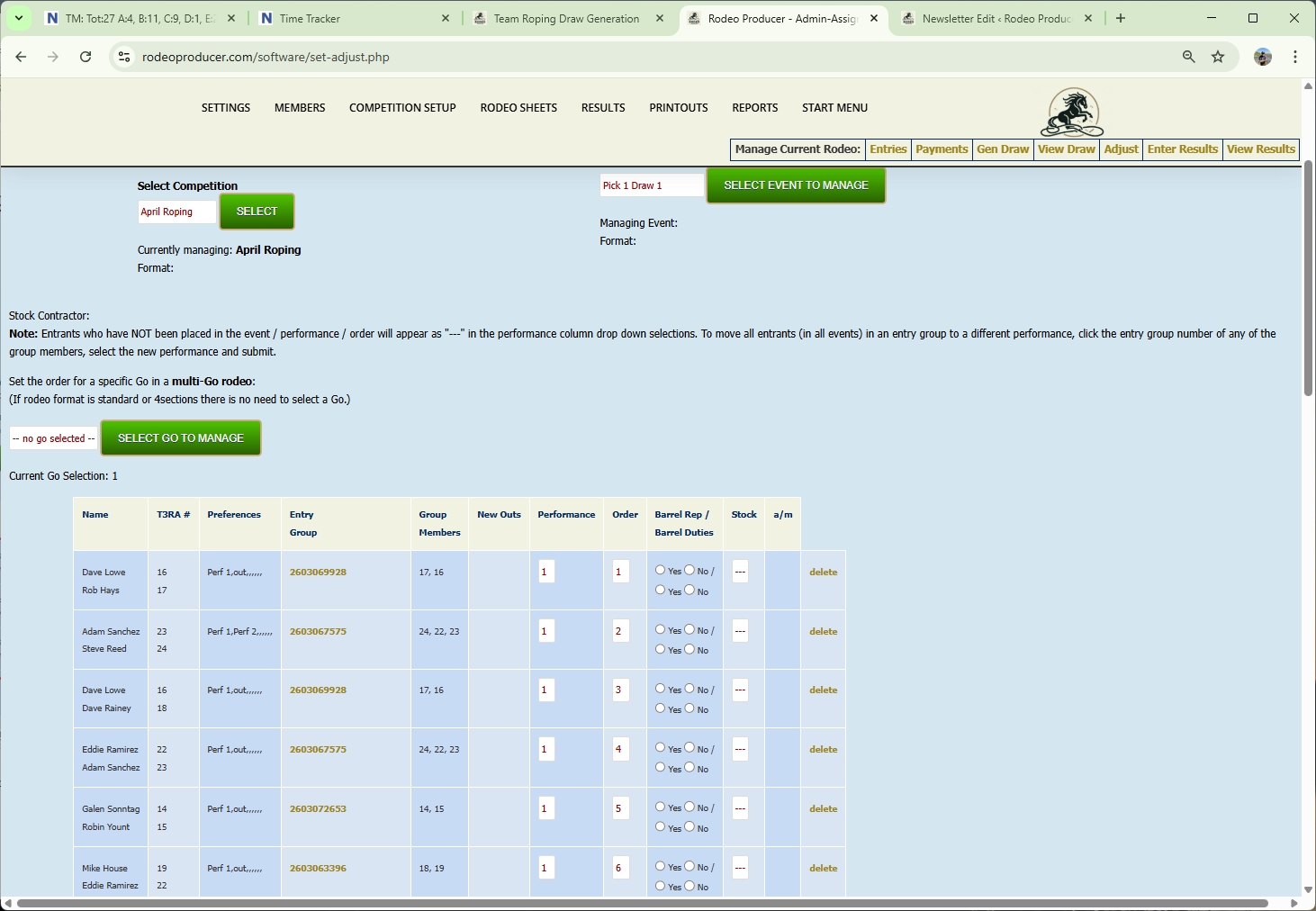
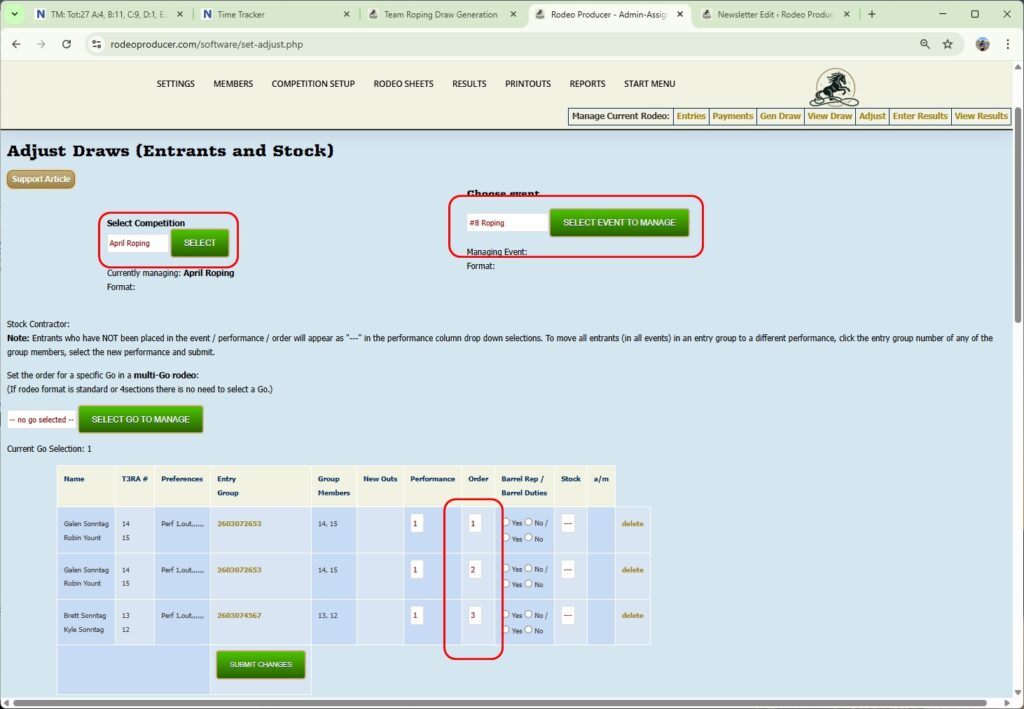
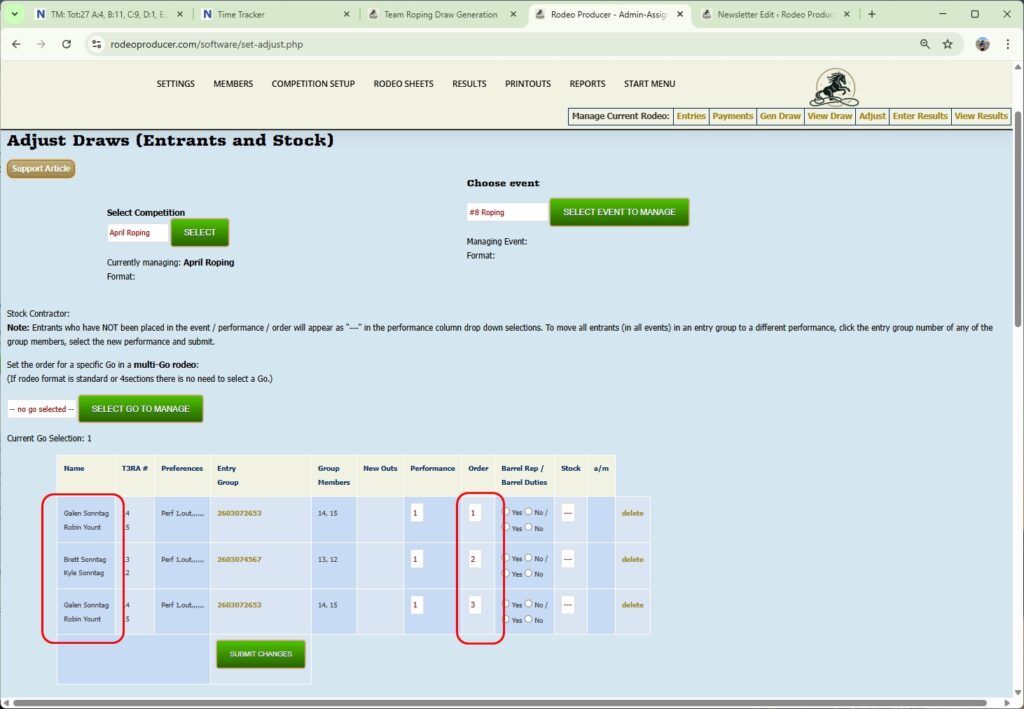
Once you have the Draw generated you can also make adjustments to the Draws. We'll go to Competition Setup > Adjust Draws. We're in the April rodeo. We will select the #8 Roping because it only has three teams in it. You can see it has the roper names for each team that have been have been entered. We see the draw order here. If we wanted to switch two teams around we can take the team with the first order make them second and the team with the second order make them first and click Submit. That will change those teams in the draw order for this event. You can also do this within the Progressive Announcer Sheet that we'll be showing you in another chapter. This is a way you adjust the Draw before you publish the Draw, before the events start. You can change things around as needed.
We'll just go to the Pick 1 Draw 1 as an example. In this Event there were teams that were entered and there were individual header and heelers that were drawn to teams. For Events like this, the Draw Generation Engine will have gone through the list of either headers or healers, whichever one there's more of, or if they're the same then it doesn't really matter, and it will then search for a team roper of the opposite role that fits within the team max and min settings, assign that roper to a team and then continue on to the next header or healer that needs a partner and match those together as well. After the draw has been generated, we can make adjustments to the draw order here if needed.